
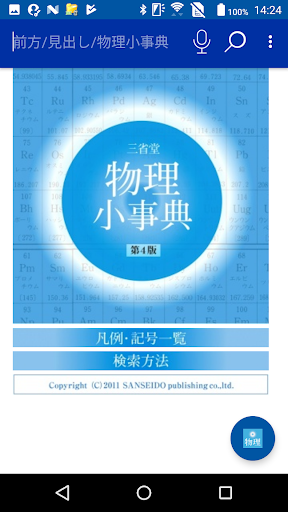
*** ** * ** *** ** * ** *** ** * ** *** ** * ** ***[Important] What to do if the app does not startPlease try the procedure in Q3 on the following pagehttps://oneswing.net/faq/android_faq.html*** ** * ** *** ** * ** *** ** * ** *** ** * ** ***Contains basic items and important terms carefully selected from high school textbooks, university entrance exam questions, and specialized magazines.Easy-to-understand explanation focusing on small items.A must-have for high school students to business people.The number of recorded items is about 4,100.■ Equipped with triple browserEquipped with 3 modes of "user interface" from smartphone 3 inch to tablet 10 inch.You can choose an easy-to-use operation environment.■ Basic usage ・ Headword search Enter words and letters from the upper right of the screen and "match prefix" Search by "exact match", "partial match", "end match" I can.■ Supports mutual skewered search with multiple ONE SWING apps.■ Cooperation with Wikipedia Japanese (online dictionary)Wikipedia Japanese version of the online dictionary that can be used for free is also includedCan be the target of batch search■ About the search engine "ONESWING"This application uses a dictionary search library equipped with high-speed and abundant search functions.■ Recommendation of handwriting inputWe recommend "mazec (J) for Android", which is a handwritten Japanese input method provided by (7 Knowledge Corporation) on the Android Market.Unlike conventional handwriting input, continuous input is possible.The dictionary is extensive, so you can operate it smoothly.* For details, go to Android Market> Tools> mazec.■ Support informationFor inquiries after purchasing this product, please contact the "ONE SWING Support Center".* Please contact the publisher for information on dictionary content.■ ONE SWING Support CenterReception hours 365 days a yearReception site: https://www.oneswing.net/We accept inquiries from the "Inquiries" page at the top of the site.* We do not make inquiries by phone.
Thank you for your understanding.■ Required memory sizeAt the time of installation: about 2MBWhen using: 2MB or more■ Memory managementThe app (search engine + browser) is installed in the app area of the main unit.
(About 2MB)Books and dictionaries are installed on the microSDHC card or the built-in data area.
(About 10MB)Note) * To replace the microSDHC, select "Content Download" from the "Menu Button" and you will need to download the book / dictionary data again.■ How to download contents1.
1.
Launch the application.2.
The inquiry dialog about downloading the contents is displayed at the first startup.
Select "Yes".3.
3.
A dialog for confirming the Wi-Fi connection and battery level is displayed.
Select "OK".4.
Select the "Start" button.5.
Use the back key on the main unit to go back.
https://andro.io/app/wsans001g
 Power 100


Android app profile
物理小事典 第4版(三省堂) for Android – Latest Version & Features
by CodeDynamix
★★★★★
(0 ratings)
Rate this app
How do you feel about 物理小事典 第4版(三省堂)?
Thanks for your feedback!
> 2.2k
Monthly Downloads
~$900
Estimated Cost
Screenshots









