
Wireless Mouse Keyboard makes your mobile phone behave as wireless remote control for your computer.
It simulates your keyboard and mouse pad completely with great efficiency via local WiFi network.
Story does not end here.
This app is equipped with surprising features of screenshot viewer, clipboard and direct shortcuts for many frequently used applications.
VISIT BELOW URL TO GET STARTED:-1.
Visit below address from your Windows PC https://www.spikesroidapps.com/WifiMouseRemote.html2.
Download and install WiFi Mouse Remote server on your Windows PC3.
Connect your computer and mobile phone to the same Wi-Fi4.
Launch App in your mobile phone, Scan computers to connectChrome browser might flag the server file,Ignore the warning and proceed as per below videohttp://www.youtube.com/watch?v=xD2D9xoOcWo&feature=youtu.beHow to use:-https://www.youtube.com/watch?v=5qpd6x_DlKM&feature=youtu.be"Windows Firewall" might lead to connection issue.
How to fix it??http://www.youtube.com/v/ftYrD0r37CUAdvanced Details:-https://www.spikesroidapps.comFEATURES:-
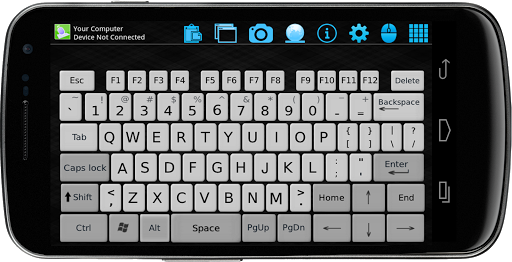
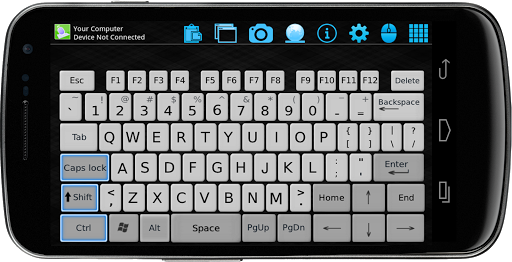
✓ Real fancy keyboard with Typing, Function, Numeric, Shortcut inputs
✓ Long press handling of buttons on Space/Enter/Tab/Delete/Backspace/Characters
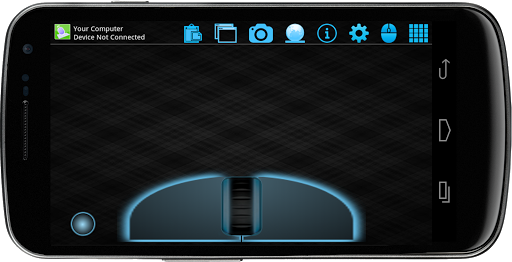
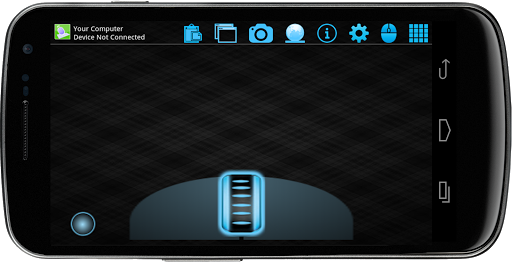
✓ Fancy mouse pad with left click hold option
✓ Remote mouse cursor movement with left, right, middle click and other gestures support
✓ Watch your computer screenshot in your phone
✓ Maximize/Minimize windows remotely
✓ Clipboard option to copy/paste to your computer directly
✓ Shutdown/Restart/Logoff/Sleep/Lockscreen remotely
✓ Mute/unmute your computer volume
✓ Open My Document / My Music / My Pictures folder remotely
✓ Manual language selection
✓ Auto connect on startup
✓ Simple, neat and clean UI
✓ Shortcut Macros for below functions MS office,excel,power point,outlook,media player,Chrome,IE,paint,task manager,control panel,PrintScreen,calculator,vlc,notepad, print,Shutdown,Logoff,Sleep,Restart,screenlock
✓ Multiple languages are supported
https://andro.io/app/wifi-mouse-remote
 Power 100
Android app profile
Wireless Mouse Keyboard for Android – Latest Version & Features
by Spikes Labs
★★★★★
(0 ratings)
Rate this app
How do you feel about Wireless Mouse Keyboard?
Thanks for your feedback!
> 2.2k
Monthly Downloads
~$900
Estimated Cost
Screenshots




