
1.
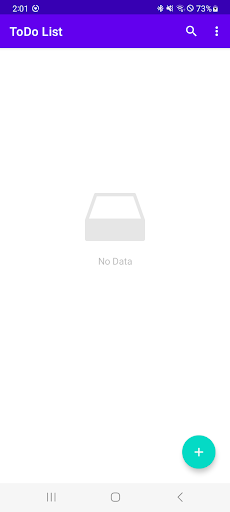
To do “Register”- When you press the "Plus" button in the bottom right corner of the to-do list screen, you will be taken to the to-do registration screen.- Priorities are divided into three levels: high, medium, and low.2.
To do “Edit”- After editing on the to-do details screen, click the “Save” button in the upper right corner to complete the editing.3.
Todo “Delete”- You can delete all items by clicking the “Delete All” button in “More” at the top right of the to-do list screen.
Alternatively, you can delete the task you want to delete by swiping it to the left.- You can delete a task by pressing the “Delete” button in “More” at the top right of the to-do details screen.4.
To do “Search”- You can search for to-dos by pressing the “magnifying glass” button in the upper right corner of the to-do main screen.5.
“Sort” your to-do list- On the main to-do screen, click the “Sort By” button in “More” at the top right to sort by high or low priority.
https://andro.io/app/welcome-1kw6o
 Power 100


Android app profile
어서오세요 - 할 일 앱 for Android – Latest Version & Features
by Bullets Co.
★★★★★
(0 ratings)
Rate this app
How do you feel about 어서오세요 - 할 일 앱?
Thanks for your feedback!
> 2.2k
Monthly Downloads
~$900
Estimated Cost
Screenshots









