
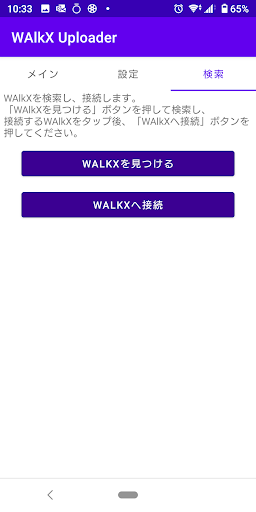
◆How to use* Please turn on the Bluetooth setting before starting the application□ Pairing - initial settings①Tap the "Search" tab on the initial screen of the app, then tap "Find WALKX".
Tap "OK" when "Scan is finished" is displayed, select your own ID from the list of WALKX (the ID is specified on the main unit), and click "Connect to WALKX".
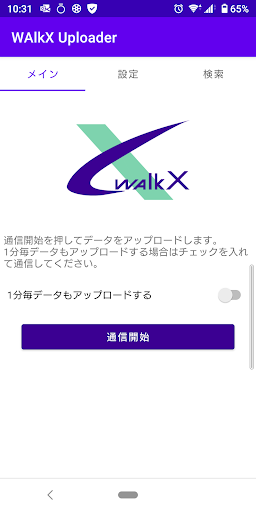
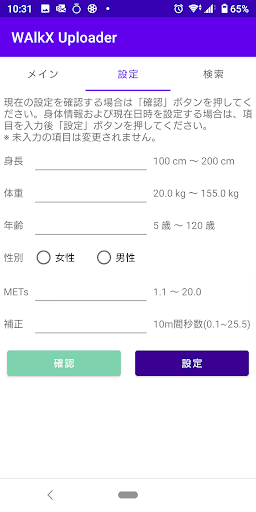
Tap to pair.② Tap the "Settings" tab, enter your height, weight, age, gender, and METs, then tap the "Settings" button.The setting is completed when the message "Setting completed!" appears.□Data update① Launch the app and tap the "Start Communication" button on the "Main" tab.*Check this box if you want to upload data every minute.(2) Communicate with WAlkX.
When the message "Data transmission is complete!" is displayed, the data update is complete.
https://andro.io/app/walkx-uploader
 Power 100

Android app profile
WAlkX Uploader for Android – Latest Version & Features
★★★★★
(0 ratings)
Rate this app
How do you feel about WAlkX Uploader?
Thanks for your feedback!
> 2.2k
Monthly Downloads
~$900
Estimated Cost
Screenshots









