
RoyalPOS Captain app is only for FineDine restaurant registered with RoyalPOS.If you are registered on RoyalPOS https://play.google.com/store/apps/details?id=com.swiftomatics.royalpos&hl=en_IN then only download this app.It is specially for the Restaurant owners.
Waiter will be able to take orders from tab.How does it work?- Connect your RoyalPOS Login.
And Go to Printer settings from Order screen.- Your WiFi Must be ON.
- Tap On "Create Server" Button on Printer Settings screen.
If you see "stop server" then you are good with it.
- Now From RoyalPOS Captain App, Login with your outlet login username and password.
If you do not have Captain as role, go to Web Dashboard https://royalpos.in/royalpos/public/ Login with admin login details, Outlets -> Select Outlet which you want to use and -> Members tab -> Add Members.
Fill up the details and select Role as Captain.
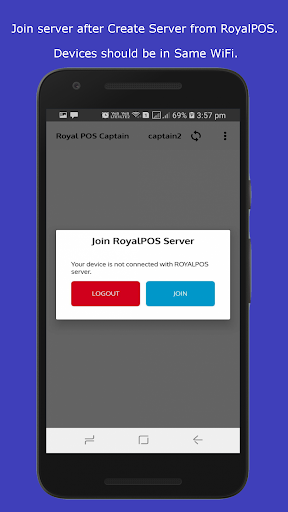
Now On RoyalPOS on Captain app, select captain and then JOIN server.
You will now see all the tables Active/InActive which are on RoyalPOS app.
You can connect multiple captains.
You can add 3 Captains in basic plan.
If you need more than please contact on [email protected]
https://andro.io/app/waiter-x7rh
 Power 100



Android app profile
RoyalPOS Captain/Waiter App Fi for Android – Latest Version & Features
by Swiftomatics Services Pvt Ltd
★★★★★
(0 ratings)
Rate this app
How do you feel about RoyalPOS Captain/Waiter App Fi?
Thanks for your feedback!
> 2.2k
Monthly Downloads
~$900
Estimated Cost
Screenshots









