https://andro.io/app/vot-024
 Power 100
★Important Notice
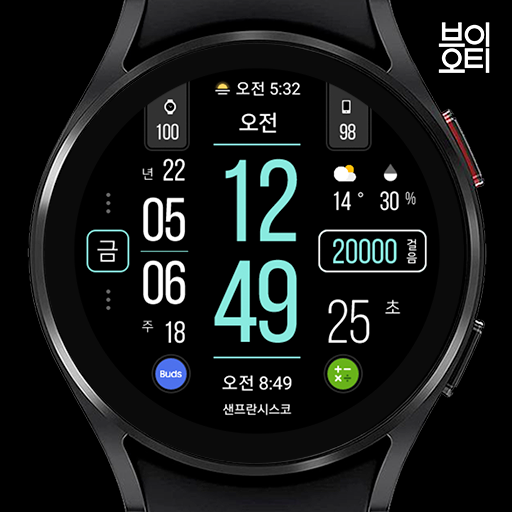
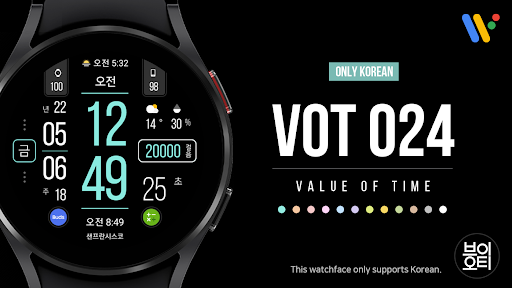
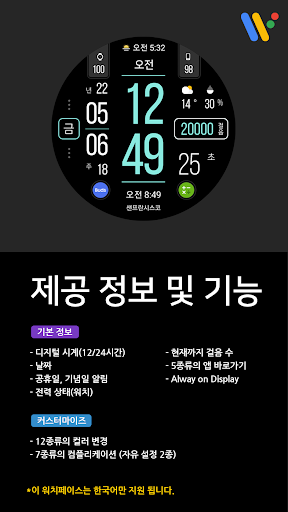
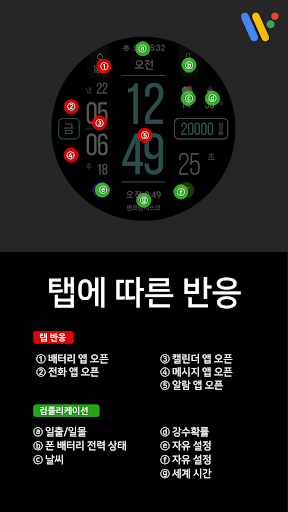
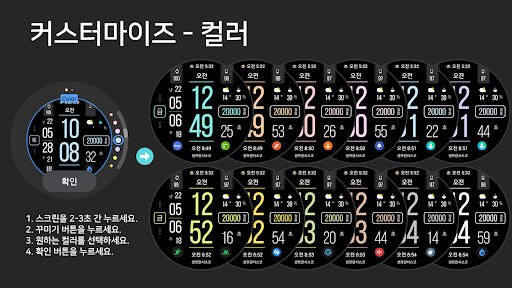
★Hello, this is Time Flick.From September 5th, the merchant account of VOT watchface has been changed to Timeflick.If you have previously purchased a watch face from a VOT seller account and the watch face has been deleted from your device, send it to [email protected] with your purchase receipt and we will send you a coupon that you can download again.#How to check purchase receiptGoogle Pay > Transaction History (or Activity) > Purchase History > Transaction Details (including date and transaction ID)#How to link phone battery complications:Please install the phone battery complication app below on both your phone and watch.https://play.google.com/store/apps/details?id=com.weartools.phonebattcomp&hl=enThis watchface only supports Korean.[Provided information and features]- Digital clock (12/24 hours)- date- power status- Steps so far- Notification of holidays and anniversaries *See screenshot for details- Shortcuts to 5 types of apps- Always on Display[Customization]- 12 kinds of color change- 7 types of complications (5 preset types / 2 free settings)[Preset Complication]- Sunrise/Sunset- world time- weather- Precipitation Probability- Phone battery power statusINSTAGRAM:https://www.instagram.com/vot_watchfaces/TWITTER:https://twitter.com/VOTwatchfacesPINTEREST:www.pinterest.com/VOT_WatchFaces*This watch face supports wear OS devices.
Android app profile
VOT Watch 024 for Android – Latest Version & Features
by TIMEFLIK
★★★★★
(0 ratings)

Rate this app
How do you feel about VOT Watch 024?
Thanks for your feedback!
> 2.2k
Monthly Downloads
~$900
Estimated Cost
Screenshots
About VOT Watch 024
★Important Notice
★Hello, this is Time Flick.From September 5th, the merchant account of VOT watchface has been changed to Timeflick.If you have previously purchased a watch face from a VOT seller account and the watch face has been deleted from your device, send it to [email protected] with your purchase receipt and we will send you a coupon that you can download again.#How to check purchase receiptGoogle Pay > Transaction History (or Activity) > Purchase History > Transaction Details (including date and transaction ID)#How to link phone battery complications:Please install the phone battery complication app below on both your phone and watch.https://play.google.com/store/apps/details?id=com.weartools.phonebattcomp&hl=enThis watchface only supports Korean.[Provided information and features]- Digital clock (12/24 hours)- date- power status- Steps so far- Notification of holidays and anniversaries *See screenshot for details- Shortcuts to 5 types of apps- Always on Display[Customization]- 12 kinds of color change- 7 types of complications (5 preset types / 2 free settings)[Preset Complication]- Sunrise/Sunset- world time- weather- Precipitation Probability- Phone battery power statusINSTAGRAM:https://www.instagram.com/vot_watchfaces/TWITTER:https://twitter.com/VOTwatchfacesPINTEREST:www.pinterest.com/VOT_WatchFaces*This watch face supports wear OS devices.









