


You enter the card details in the app only once – after registration thedata is stored in secure Visa systems.In addition, you have nothing to worry about both during and after the shopping.
Thanks to Visa, you can get your money back in case something went wrong.
You will certainly appreciate the fact that, thanks to new technological solutions used in the app, such nuisances as the necessity of clicking your way through multiple windows or copying and pasting texts have been eliminated.
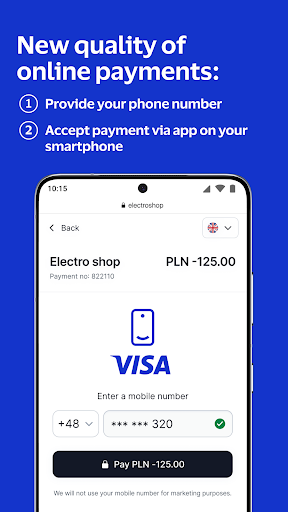
All you need is to authorize the payment on your smartphone.To pay with Visa Mobile:1.
Choose the Visa Mobile icon as the method of payment and enter your phone number.2.
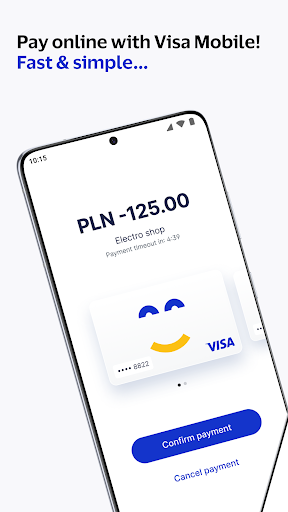
Accept the payment on your smartphone in the Visa Mobile app.How to start?It’s easy!
Download the app on your phone.
Register and enter your card number, e-mail address and phone number, and then set the app security (PIN, biometry).
That’s all!You only have to add the Visa card to the app once – it won’t be necessary to enter all your data again while making online payments.
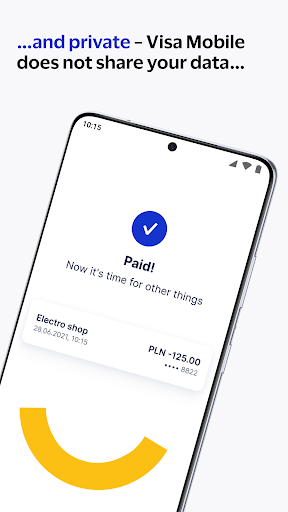
Every time you pay by debit or credit card using the Visa Mobile app, your details are stored in secure Visa systems.>> Peace of mind and a sense of security<
You just have to start the so-called chargeback procedure through the bank.>> Convenience and pleasure to use <
Visa has created the Visa Mobile app especially for you.
The portfolio of technological solutions is constantly expanding to make online payments easier.
Visa Mobile is a part of Click to Pay with Visa, so the security of your transactions is guaranteed.__The possibility to use the app may be limited to selected banks.
Before downloading, please make sure that your bank accepts Visa Mobile.









