
Autodesk® Vault for Android allows you to work with your design and engineering data on your mobile device.
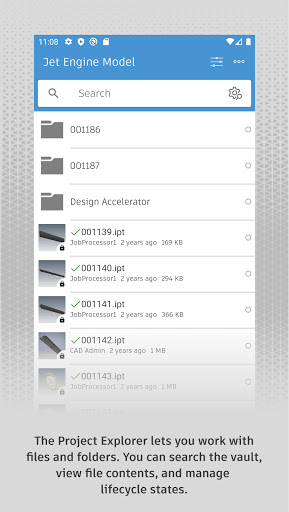
You can use the Vault mobile app to view 2D and 3D designs, check non-CAD files in and out, approve and sign documents, create and participate in change orders, perform QR, barcode, simple and extended data searches, and more.
Supporting over 100 file formats, the Vault mobile app makes it easy to stay up to date on your projects and collaborate with others anytime, anywhere.
The mobile app works in conjunction with its companion desktop product, Autodesk® Vault product data management software.
To use the Vault mobile app for Android, you will need to sign in with your Vault account information.
https://andro.io/app/vaultmobile-1iak8
 Power 100


Android app profile
Autodesk Vault Mobile for Android – Latest Version & Features
★★★★★
(0 ratings)
Rate this app
How do you feel about Autodesk Vault Mobile?
Thanks for your feedback!
> 2.2k
Monthly Downloads
~$900
Estimated Cost
Screenshots









