
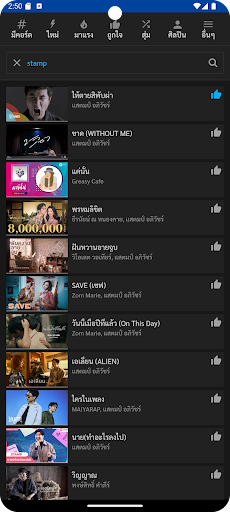
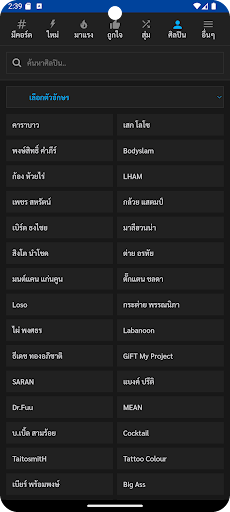
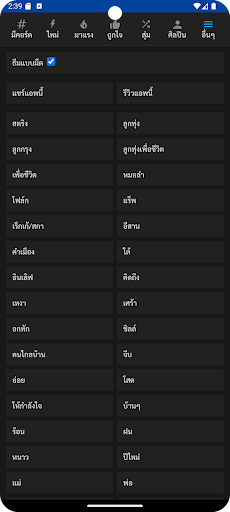
mechords, a music chords app that actually works The most convenientSuitable for everyone Whether its a beginner, an intermediate player, or a professional musician.- Precise chord positions- 1 space per 2 music rooms for easy playing.- Separate categories: music genres, situations, moods, new songs, trending songs- Search for song chords from song name, artist name, lyrics.
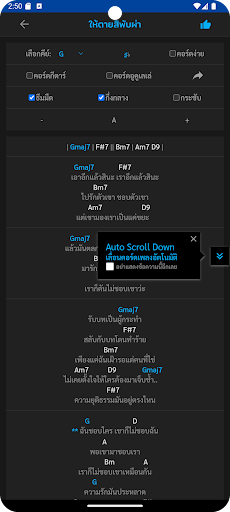
quickly- Select key, change key, increase key, decrease key.- Choose to change the chord name to
♯ or
♭.- Choose to change to simple chords for beginners.- Select the chord image formatting as Align left or center- Increase/decrease font size- Select label to display only songs by the selected artist.- Keep a list of favorite songs along with the selected key- Automatically expand repeating sections* When displaying 1 column of chords on small screen For ease of scrolling through the chords- Automatic chord progression button (Used in cases where the chords overflow the screen)- Can make the chord visualization more concise.
(Use in conjunction with reducing the font size In case you dont want the chord images to overflow the screen)- Turn off automatic screen lock This prevents the screen from turning off while playing music.- Contains guitar and ukulele chord tables.
(Shows the chord table when selecting or pressing the chord name and when pressing the chord table will change the chord form continuously)- Choose to switch the theme to a dark theme.
To preserve eyesight at night or in places with low light.- Share song chord link button (In the case of a machine that already has the mechords app installed, when you press the mechords.com link, you can choose to open the chords for that song in the mechords app immediately.)- YouTube music play button
https://andro.io/app/v3-k5eq
 Power 100
Android app profile
คอร์ดเพลง เปลี่ยนคีย์ได้ for Android – Latest Version & Features
by 60ss
★★★★★
(0 ratings)
Rate this app
How do you feel about คอร์ดเพลง เปลี่ยนคีย์ได้?
Thanks for your feedback!
> 2.2k
Monthly Downloads
~$900
Estimated Cost
Screenshots









