
Tips: - Clear focus for image.
Image Zoom.
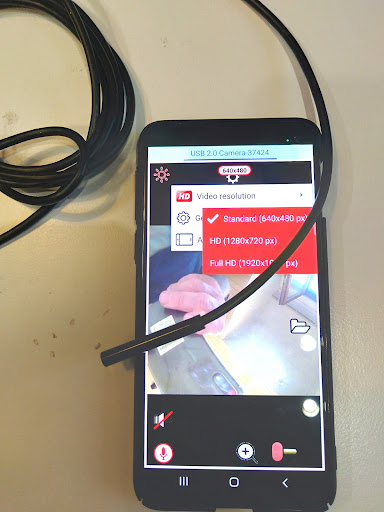
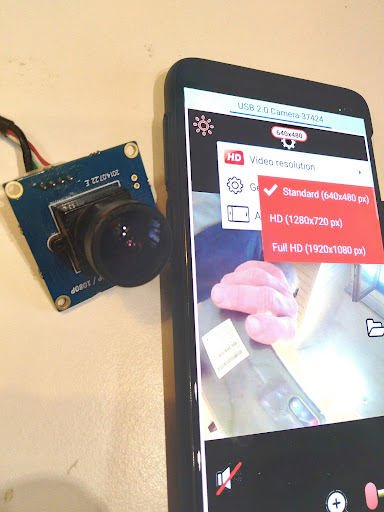
HD Audio record.- Connect external microphones: Bluetooth, USB, Wired microphones.- Upto Android 13+ support.- Record and listen to live audio from the microphone.- Save video to your external SD-card.- 100% surveillance system with motion detector.- Send alarm notifications to your messenger with a video file link.- Free cloud recording.List of supported Endoscopes:DEPSTECH Endoscope,MARVIOTEK USB Endoscope,KERUI USB Endoscope,Jcwhcam USB Endoscope,AN97 endoscope,Mrelf Micro &Type-C,Vdiagtool Endoscope Camera,ZCF F200 Screen Endoscope,Mrgo MICro Type C,ANCEL HD Endoscope,U-Kiss USB Ear Cleaning Tool HD Visual Ear Spoon,JCWHCAM I98-30,ZCF P100,eMastiff 7mm Endoscope,Hailicare Endoscope,and more...List of Web cameras supported:Logitech HD Webcam, Microsoft LifeCam, Genius QCam, Defender G-lens, Canyon CNS-CWC, Razer Kiyo, Logitech C922 Pro Stream, Logitech VC HD Webcam, Logitech StreamCam,Logitech VC Brio Ultra HD, Insta360 Link, OREY Webcam 1080p, LOGITECH C270/C270i, PEGATAH U2 /U3/U8,PAPALOOK AF925, ASHU H701 1080p, Spedal FF931 HD, REDRAGON GW900 APEX, PAPALOOK PA930 2K HDR,BLUELANS 97977, ASHU H800, AONI ANC, FIFINE K420, REDRAGON GW900 APEX, Spedal FF931 HDand more..> How to connect an USB camera in 10 secСonnect USB camera (Endoscope, Microscope, Borescope) to your smartphones USB port (micro-USB or Type-C).
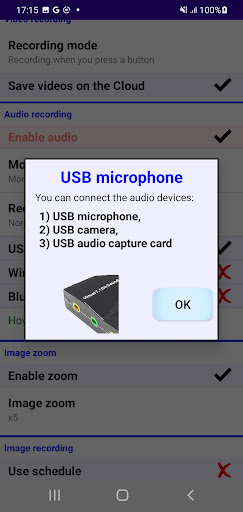
When the dialog appears, press OK.
Its all.> How to connect Bluetooth microphone or TWS-Headset1) Firstly you need to make the Bluetooth pairing of the microphone and your phone.2) Please setup the Bluetooth settings: "Calls=ON, Audio=ON".> Choose a public file folder (or SD card) to save your videosYou can save your videos to any public folder both in internal memory and on external SD-card.Privacy Policy link:https://sites.google.com/view/usbcamerahdvideoaudio-privacy
https://andro.io/app/usby8
 Power 100

Android app profile
USB camera & Audio for Android – Latest Version & Features
★★★★★
(0 ratings)
Rate this app
How do you feel about USB camera & Audio?
Thanks for your feedback!
> 2.2k
Monthly Downloads
~$900
Estimated Cost
Screenshots









