

A simple and easy-to-use unit converter to handle any conversion youll ever need.The beautiful Material Design user interface allows for quick and easy conversions from a number in one unit to another.
The goal is to keep it simple - you wont be overwhelmed with an excess of options and settings, allowing you to perform your desired conversion as quickly as possible.
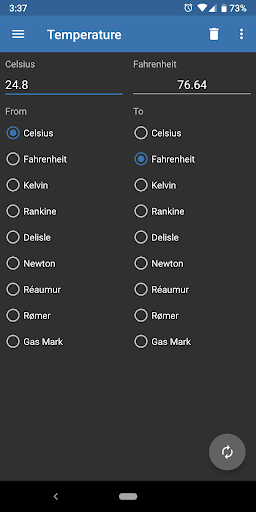
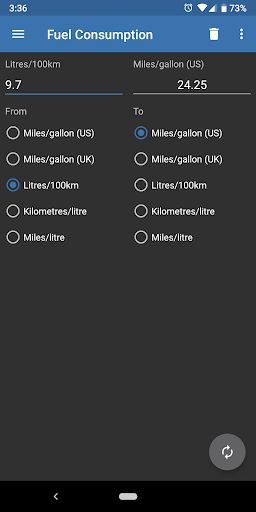
Perfect for work, school or in the kitchen.Available unit conversions include:- Currency (US dollar, CDN dollar, pound, peso, etc)- Temperature (celsius, fahrenheit, kelvin, etc)- Length (kilometer, miles, meter, yard, feet, etc)- Mass/Weight (kilogram, pound, ounce, ton, stone, etc)- Speed (km/h, mph, knot, etc)- Area (square kilometer, square mile, hectare, acre, etc)- Cooking Volume (teaspoon, tablespoon, cup, pint, quart, ounce, etc)- Pressure (kilopascal, bar, PSI, etc)- Power (watt, kilowatt, horsepower, etc)- Energy (joule, calorie, BTU, etc)- Time (year, month, day, hour, second, etc)- Fuel Consumption (miles per gallon, liters per 100km, etc)- Digital Storage (bit, byte, megabytes, gigabytes, etc)If youre interested in helping translate the app into your language, please e-mail me!
Unit Converter Ultimate is open source, check out the code on GitHub - https://github.com/physphil/UnitConverterUltimate**PLEASE NOTE** - The only permission requested is for the DONATE option...
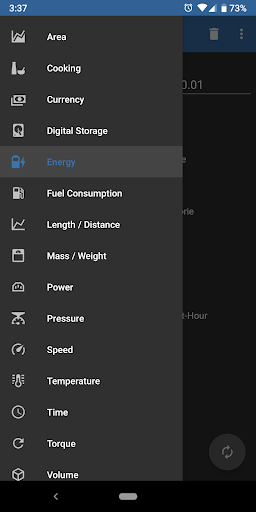
if you dont wish to donate, nothing will change, you wont be charged anything and you can continue to use the app as normal :)**TIPS**- Use the slide-in menu for navigation between conversions and select the units you require.
To open the slide-in menu, swipe in from the left edge of the app, or press the app icon in the top left corner.- The converted value is fully customizable.
Use the Settings menu to select the number of decimal places required as well as the grouping and decimal separators.- Long-pressing on the converted value copies it to the clipboard.- Pressing the swap Floating Action Button switches the selected units.Its free and has no annoying ads!
If you run into trouble or have suggestions for new features please feel free to email me.
https://andro.io/app/unitconverterultimate

Rate this app
How do you feel about Unit Converter Ultimate?
Thanks for your feedback!
> 2.2k
Monthly Downloads
~$900
Estimated Cost
Screenshots









