
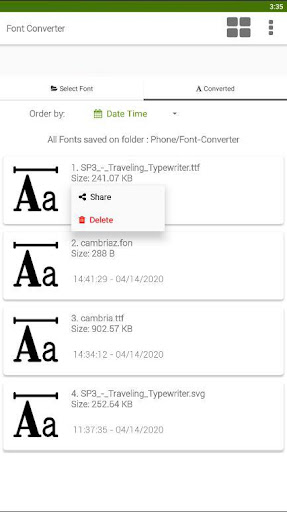
This converter app allows you to convert one font format into another, including many exotic formats.
We support most common font file formats for Android and PC.
No more hassle with exotic font file formats!!- Support convert otf to ttf- Supported file types: ttf, otf, pfb, dfont, otb, fon, fnt, svg, ttc, bdf, sfd, cff, pfa, ofm, acfm, amfm, cha, chr.- Max.
file size for converting is 15 MB.- Support autohinting for TTF fonts improves the font rendering on PC.What can I do with this font converter?Do you have a font file in a format that your tools cannot handle?
With this font converter you can convert even exotic font file formats into commonly used formats like TTF or OTF.If you do not know which format is suitable for your software, try using .ttf as the output format.1.
Supported font formatsFont Converter can read the following font files:TrueType, PostScript (Type 1 font), TeX Bitmap Fonts, OTB (X11 bitmap only sfnt), BDF (Glyph Bitmap Distribution Format), FON (Windows), FNT (Windows), OTF OpenType font, SVG, TTC, ABF (Adobe Binary Screen Font), AFM (Adobe Font Metrics File) , BDF (Glyph Bitmap Distribution Format), DFONT (Mac OS X Data Fork Font)2.
The following output formats are supported: ttf - TrueType font otf - OpenType font woff - Web Oben Font svg - SVG Font ufo - Unified Font Object eot - Embedded OpenType pfa - PS Type 1 (Ascii) pfb - PS Type 1 (Binary) bin - PS Type 1 (MacBin) pt3 - PS Type 3 ps - PS Type 0 cff - CFF (Bare) fon - Generic font t42 - Type42 t11 - Type11 (CID 2) ttf.bin - TrueType (MacBin)
https://andro.io/app/ttf-1sclj
 Power 100


Android app profile
Font Converter - Convert OTF t for Android – Latest Version & Features
by SmartApps38
★★★★★
(0 ratings)
Rate this app
How do you feel about Font Converter - Convert OTF t?
Thanks for your feedback!
> 2.2k
Monthly Downloads
~$900
Estimated Cost
Screenshots









