

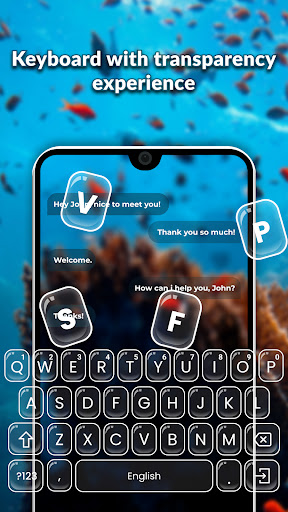
Transform your typing experience with Transparent Keyboard, a feature-packed keyboard app that goes beyond the ordinary.
Customize your keyboard like never before and enjoy a personalized typing journey.Key Features: Default Transparency Design: • Experience transparent keyboard.
• Customize transparency levels according to your preference.
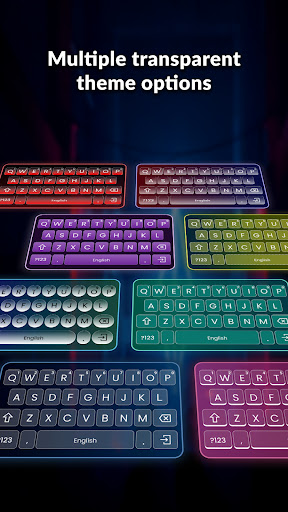
• Choose from a wide range of transparent and eye-catching themes.
Customization: • Apply gradients to enhance the visual appeal.
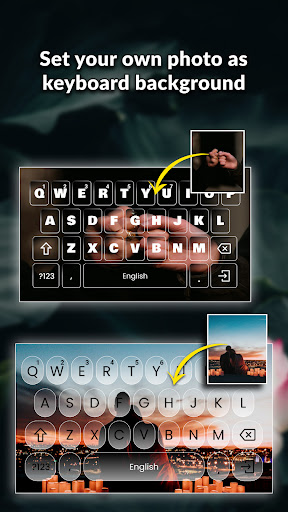
• Choose background colors or set your own images as the keyboard background.
• Increase or decrease transparency directly from the home screen for instant customization.
• Adjust key size and choose from multiple key shapes.
• Personalize your typing experience by changing fonts and text colors.
• Create and save multiple themes to match your style.
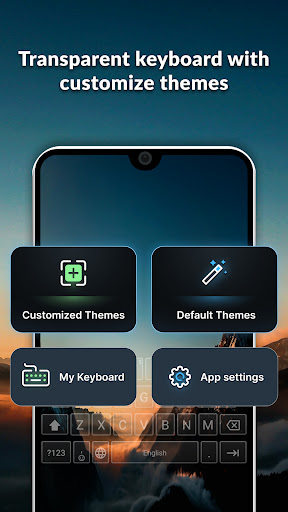
• Keep all your saved keyboard themes in one place.
Easily switch between your customized themes or add new keyboards to the collection.
• Edit and personalize themes according to your preferences.
App Settings: • Voice Typing: • Enable voice typing to effortlessly search for terms by speaking into the microphone on the keyboard.
• Vibrate on Key Press: • Manually toggle vibration feedback on or off while typing.
My Keyboard: • Keep all your saved keyboard themes in one place.
Easily switch between your customized themes or add new keyboards to the collection.Why Choose Transparent Keyboard?
• Elevate your typing experience with a keyboard that adapts to your style.
• Express yourself with personalized themes and designs.
• Effortlessly search using voice typing for a hands-free experience.
• Enjoy a customizable keyboard that reflects your unique preferences.
How to Use: • Explore the Settings menu to enable or disable voice typing and vibration feedback.
• Customization options to create your perfect keyboard.
• Access your personalized keyboards quickly through the My Keyboard section.
• Adjust transparency levels seamlessly from the home screen.Download Transparent Keyboard now and redefine the way you type!Permission: 1.Record Audio: The record audio permission is required for the speech-to-type feature in the keyboard.
https://andro.io/app/transparentkeyboard
Rate this app
How do you feel about Transparent Keyboard?
Thanks for your feedback!
> 2.2k
Monthly Downloads
~$900
Estimated Cost
Screenshots









