

ChatTrans, an excellent tool for transferring WhatsApp and WhatsApp Business data, guarantees a fast, secure, and effortless transfer of chat history between Android and iPhone devices.
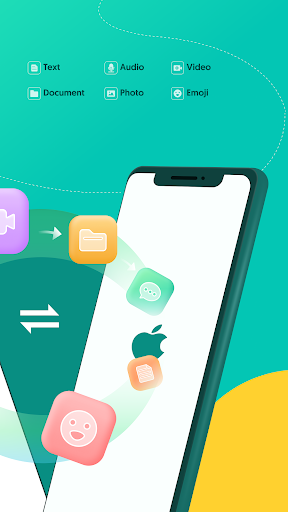
In just a few minutes, you can seamlessly transfer all your precious data, including text messages, photos, videos, emojis, audio, files, and more!
🌟 Key Features:WhatsApp & WhatsApp Business Chats Transfer● No need for a computer.
Transfer WhatsApp and WA Business chat data between Android and iPhone via an OTG cable or WiFi.● No data loss.
All your Chat data will be switched to another iPhone/Android without losing anything.
● No worry about data security.
ChatTrans promises a 100% safe data transfer process and 100% privacy protection.
● No root or factory reset in the process.
● Enjoy the same WhatsApp/WhatsApp Business on multiple iPhone and Android devices in just three steps (connect-transfer-completed)!
👉 Why Choose ChatTrans?● Fast Transfer.
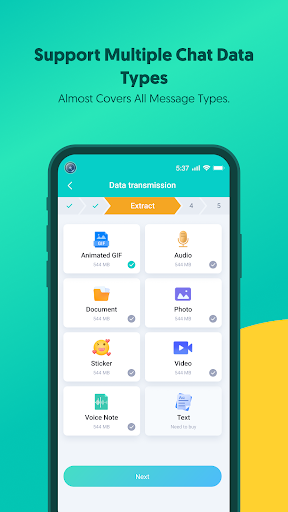
With lightning-fast transfer speed, here at ChatTrans, you dont need to have patience.● Transfer among different platforms without any restrictions: Android to iPhone, Android to Android, iPhone to Android● Transfer almost all WhatsApp and WhatsApp Business chat data: chat text messages, photos, videos, emojis, files, gifs, voice notes, and more.
● Ensure the 100% security of your data.
ChatTrans guarantees absolute data privacy and data security.● No data will be lost or overwritten.
ChatTrans securely transfer all your WA/WA Business data from one phone to another without deleting/overwriting any data.● The interface design is very clear and user-friendly.
Moreover, the product includes video tutorials and written instructions, with detailed explanations for each step of the operation.
📲 Device Compatibility● Supported Android devices and brands: Samsung, Huawei, Xiaomi, Oppo, Vivo, HTC, LG, Sony, Motorola, and more.● Supported Android versions: Android 5, Android 6, Android 7, Android 8, Android 9, Android 10, Android 11, Android 12, Android 13, and above.● Supported iOS versions (all): iOS 10, iOS 11, iOS 12, iOS 13, iOS 14, iOS 15, iOS 16, and above.
🌎 Multi-Lingual SupportChatTrans supports English, French, German, Japanese, Spanish, Russian, Portuguese, Arabic, Italian, Korean, Malay, Indonesian, Dutch, Turkish, Hindi, Simplified Chinese, and Traditional Chinese.
🛠 User GuideHow to move WhatsApp/WhatsApp Business data with ChatTrans?Step 1: Install ChatTrans on your Android device.
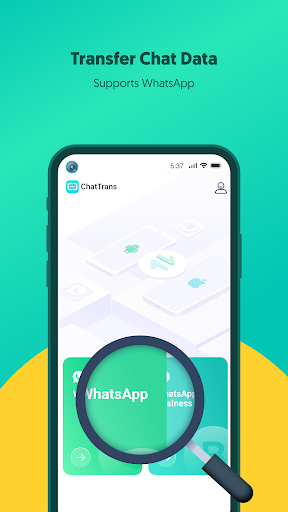
Launch it and on its main interface, choose "Transfer WhatsApp" or "Transfer WhatsApp Business".Step 2: Choose the transfer method and connect both devices with an OTG cable.Step 3: Select the data you wish to transfer and wait for the transfer process to complete.
Developer - UltFoneEstablished in 2007, UltFone is a top software developer focused on mobile utility technologies.
We offer solutions for iOS and Android data recovery, data transfer, iOS system repair, etc.
https://andro.io/app/transfer-zk2n
Rate this app
How do you feel about UltFone ChatTrans?
Thanks for your feedback!
> 2.2k
Monthly Downloads
~$900
Estimated Cost
Screenshots









