
Lock your device to a specific app (e.g.
YouTube) and block touch input.TouchShield is a touchscreen blocker.
It locks your device to a specific app and disables the touchscreen.Its different from other apps as it doesnt just lock the touchscreen, it also disables the notification area and navigation buttons.
This makes it much harder to exit a blocked app by accident.TouchShield is built with the idea of toddler-proofing the phone.
It prevents toddlers from interacting with the blocked app (e.g.
changing the video that is being played, exiting the app, and opening other apps).HOW TO USE THE APP1.
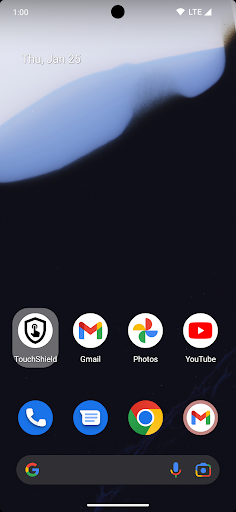
Launch the TouchShield app.
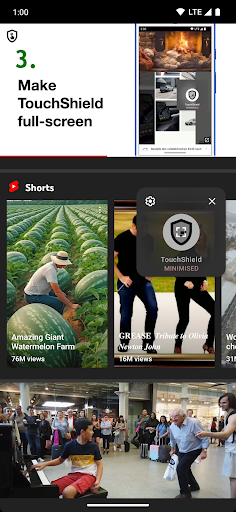
It will open in minimized (picture-in-picture) mode.2.
Launch the app that you want to shield from touches.3.
Click the TouchShield picture-in-picture window and then the shown fullscreen button.4.
Allow the app to be pinned as this will disable navigation buttons and notification area.5.
Thats it.
Touch input should now be blocked.To go back to the minimized picture-in-picture window or to exit the app:1.
Click anywhere on the TouchShield blocked screen2.
Long-click the shield icon that has now been shown in the center of the screen.3.
Drag the icon into the down-right "Minimise" rectangle or down-left "Exit" rectangle to trigger the selected action.DISCLAIMERWorks well with most apps (e.g.
YouTube, Netflix, Pluto TV…), but some apps might not be compatible.
Please test that it works for your desired target app while you are still in 1-week trial period.
https://andro.io/app/touchshield
 Power 100


Android app profile
TouchShield for Android – Latest Version & Features
by Zemberi UG (haftungsbeschränkt)
★★★★★
(0 ratings)
Rate this app
How do you feel about TouchShield?
Thanks for your feedback!
> 2.2k
Monthly Downloads
~$900
Estimated Cost
Screenshots









