
Timeline is a powerful & performant note taking app available for Windows , Android & coming soon to Web.
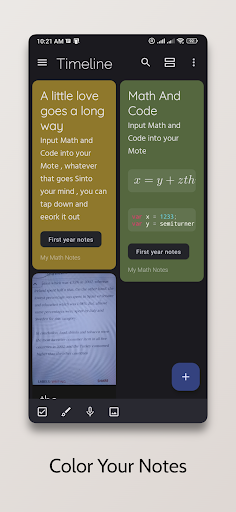
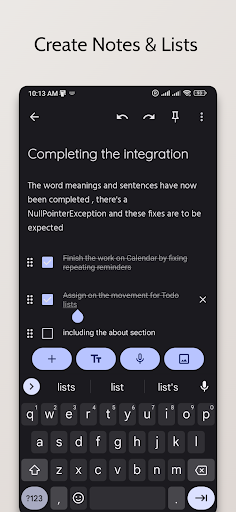
You can create Notes, To-do Lists , Reminders , Categories & Tags.
Include Photos and Audio in your Note , Share And Export Your Notes.
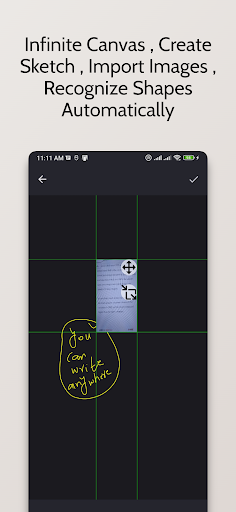
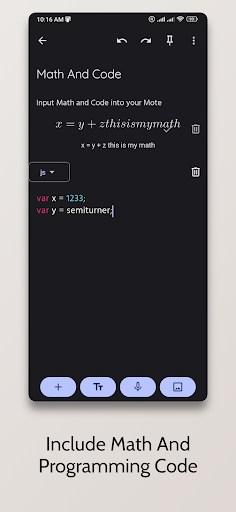
Draw & Sketch in your Note.Download For Windows At : https://qawaz.github.io/timeline/ Free Features 1 - Take Notes & Create To do Lists2 - Take Photos & Include Audio / Recordings in Notes3 - Create Sketches / Drawings & Painting in Notes4 - Create Reminders & Attach them to Notes5 - Powerful Search , Filter by colour , tag , category , creation date & modified date , highlight searched text6 - Share to other apps7 - Export Notes As HTML , PDF & Markdown8 - Scan Text From Images9 - Enable Recognition of Drawing Shapes inside drawing10 - Meaning & Definition of Words and their usages with sample of pronunciation11 - Create Latex Math Blocks12 - Create Code Block with support for over 30 different programming languages.OrganizationA category can have multiple notes , but you can only apply a single category to a note , For multiple labels on a single note , You can use tags , Tags can be helpful where multiple labels would help organizing a set of information better.ListsCreating To do lists is really easy , keeping track of your grocery items and daily tasks is easy.
Reordering and Indenting list items allow you to be organized and be on top of everything.RemindersReminders are handy notifications that pop up to remind you about something.
Creating reminders is easy , Attach a reminder to a note and when the notification pops up , Itll lead you to its note where you can input information about that task.Premium FeaturesSyncingOnce you create an account & register for pro membership which is just a dollar a month , All your data will be synced.If you dont want to sync your data with our servers , You can use google drive as your backup drive and app will sync all your data text & media content to Google Drive.You can disable syncing for media content by going into settings and disabling attachment sync.Sharing Pro members can share the note to other users in the app , You can select the Note and share it.
This would share the Note privately with only that user , You can chose to give him/her read only access or read and edit access.TranslationIf you are a pro member , you can easily translate the note by going into options and clicking translate , You can chose different languages and copy the translated text or import as a single text block.
https://andro.io/app/timeline-146aq
 Power 100
Android app profile
Timeline - Notes & Reminders for Android – Latest Version & Features
by Qinetik
★★★★★
(0 ratings)
Rate this app
How do you feel about Timeline - Notes & Reminders?
Thanks for your feedback!
> 2.2k
Monthly Downloads
~$900
Estimated Cost
Screenshots









