
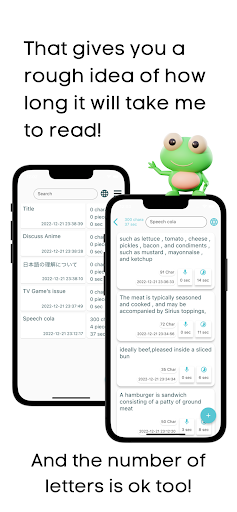
It gives you a rough idea of how long it will take to read.
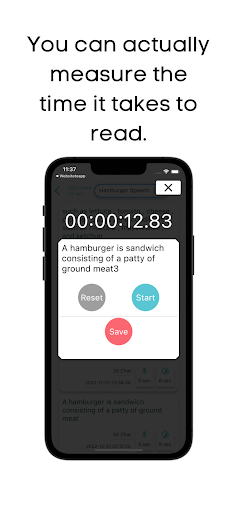
There is a function to estimate how many seconds it will take, and a timer to measure how long it actually takes to read aloud.
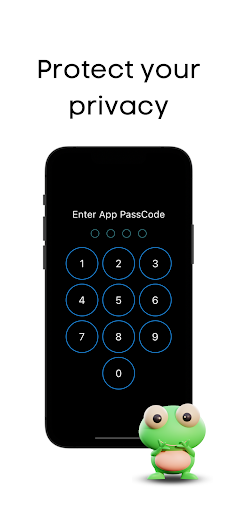
You can also see the number of words.It is as easy and simple to use as a todo list.About 50 languages are supported, and you can set the language in which the memo is written to display a more accurate time.You can protect your privacy with the password function.There is also a backup function that allows you to back up your notes to the devices local storage.■FunctionsMemo function (can be used like a todo list)Predicts the time it will take to read a message.Counting the number of charactersPassword functionLanguage change function (about 50 languages can be set)Backup function ■Use CasesSpeakers of speeches, presentations, and announcementsBy knowing how long it takes to read aloud a speech, presentation, or announcement, you can predict how long it will take to make the presentation and whether you will be able to make it in time.It can also be used as a reference to improve your speech, presentation, and delivery skills.
You can also keep track of how long it takes you to give a presentation so you know how well you are doing.
The application also allows you to record the content of your presentation.
This can be used as a reference for recalling the content later.
Also, by recording the content of what you are presenting, you can keep track of how you are presenting.■Review by a person who experienced it first1.
my presentation skills have greatly improved since using this app.
By recording the amount of time it takes me to give a presentation, I am able to keep track of how much I am presenting and adjust my presentation speed based on that.
In addition, recording what I was presenting and the materials I was using was very helpful in recalling the content later.I used this app when I was having trouble keeping my presentation time under 10 minutes due to a time limit at my university.
This app shows you roughly how many seconds it will take.
You can also record how many seconds it took you to actually read it.
I write notes to get a rough idea of how many seconds it will take, and then use the timer to record the detailed speed of my reading.
Since using this app, I have been able to assemble my presentation much faster and have made no mistakes in going over time.
https://andro.io/app/timecountnote
 Power 100

Android app profile
Time count note:read out loud for Android – Latest Version & Features
by Minerva K.K.
★★★★★
(0 ratings)
Rate this app
How do you feel about Time count note:read out loud?
Thanks for your feedback!
> 2.2k
Monthly Downloads
~$900
Estimated Cost
Screenshots









