

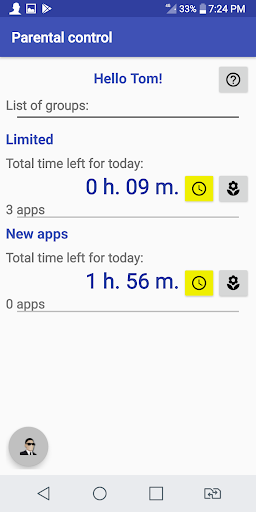
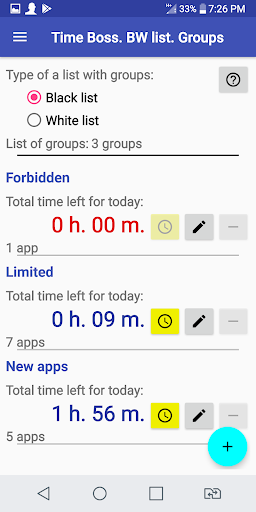
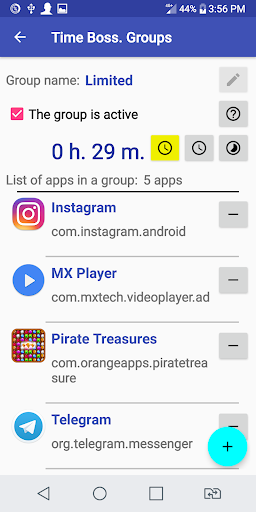
Easy parental control program.Multi-user support.Support Black or White lists of apps and websites with time limitations.Event log.Filter of bad words for blocking adult content in websites and apps.Android system settings protection.Self-protection against removal by children.Configurable warnings, stop messages for children.Grants support.Easy change of the remaining time for the current day.Remote control using the free program Time Boss Cloud by the parent onAndroid or Windows.Works without a permanent connection to the Internet.No root rights are required.No registration is required on our website.No access to personal data (phone number, addresses ...) is required.The program does not send any data via Internet.All settings and program logs are stored on the mobile phone (device).If the synchronization via Cloud is active, then Time Boss only sends time limits and grants via Internet.The default password is 123.When Time Boss is running, click on Time Boss notification area to open Control panel.
Please stop Time Boss before update and start again after update from Google Play.To activate protection from uninstalling the program in the app store (Google Play) it is necessary to give Time Boss special Accessibility rights.
These rights are also needed for self protection after reboot of device and for using content filter of bad words and internet monitor.Set the Hard level of termination in settings and activate the content filter if your child is geek in Android.Set parental rights for child if you want to temporarily disable all restrictions.Disable Easy mode for Black and White lists in settings if you want to set time limit for specific apps.For Xiaomi devices check that Time Boss is given permission to autostart.14-day free trial period, after which you can use Time Boss after buying a1-year subscription of $ 9.49 on Google Play
https://andro.io/app/timeboss

Rate this app
How do you feel about Time Boss Parental Control?
Thanks for your feedback!
> 2.2k
Monthly Downloads
~$900
Estimated Cost
Screenshots









