
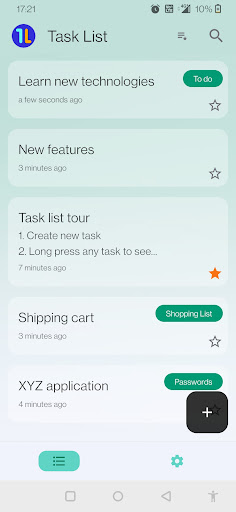
About Task ListThe Task List Application ensures the safety and security of your tasks, providing a reliable platform for organizing your data across various categories, such as:- To-do - Shopping List - Personal - Passwords - Work - OthersWe have web app for the samehttps://tasklist.hanykumar.inPrivacy and policyDuring the registration process, we collect users email IDs for identification purposes.
Google Firebase manages authentication using the provided email ID and password.
Its important to note that we do not store users passwords.Your task data is stored securely in the Google Firebase database, with both the title and content encrypted to enhance protection.
We prioritize user privacy and do not share any data with third parties.For users who wish to discontinue using the application, theres a convenient account deletion feature accessible through the settings tab.
Its crucial to be aware that once an account is deleted, data cannot be recovered.
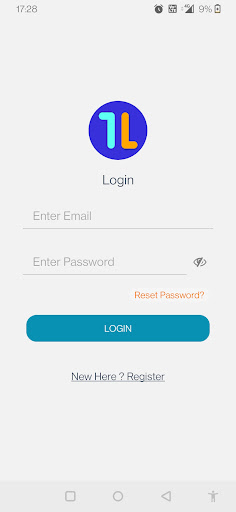
Your privacy and control over your information are our top priorities.DELETE ACCOUNTIf you are a verified registered user, you can delete your account with complete data.Steps: Login to the application Go to Settings Tab Scroll down settings list to Delete Account Click on it A modal will be open to confirm it by tying Delete in a text box.
Click on yes If your Account is deleted, you will see a pop-up message saying that your acocunt has been deleted.
You will be logged out of the application and will be navigated to the login screen.Make sure internet is enabled during this above steps.Reset accountIf you are a verified registered user, you can delete your all your data only and you dont wan to delete your account, you can do it by following steps:Steps: Login to the application Go to Settings Tab Scroll down settings list to Reset Account Click on it A modal will be open to confirm it by tying Reset in a text box.
Click on yes If your all data/tasks are deleted, you will see a pop-up message saying that all your tasks have been deleted.
You will be not be logged out of the application , however you always add new tasks/data.Make sure internet is enabled during this above steps.
https://andro.io/app/tasklist-hdq0
 Power 100

Android app profile
Task List for Android – Latest Version & Features
by hany kumar
★★★★★
(0 ratings)
Rate this app
How do you feel about Task List?
Thanks for your feedback!
> 2.2k
Monthly Downloads
~$900
Estimated Cost
Screenshots









