
introduction Using your Kiwoom Securities account at Securities Tong This is a trading module service that allows you to quickly trade stocks.
When you click the order button on the stock item details screen, the trading module app and Automatic linking allows for quick ordering.[main function]1.
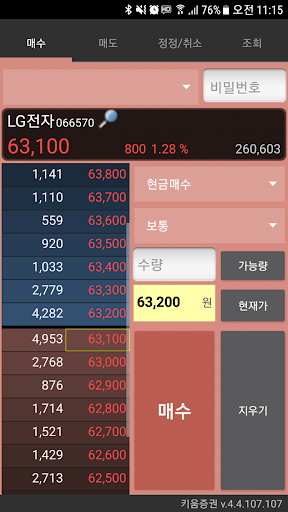
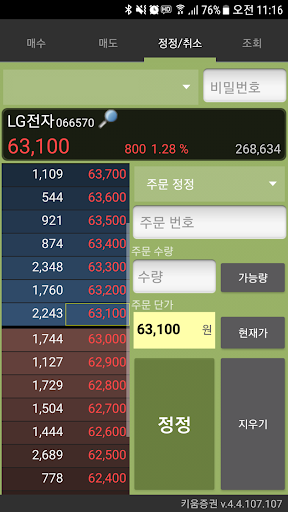
Stock trading (purchase, sale, correction, cancellation, etc.)2.
Account inquiry (settlement, balance, reservation, deposit, etc.)3.
Holding balance (assessed profit/loss, rate of return, purchase price, current price, quantity available for trading, holding proportion, etc.)4.
Settings (display of first tab on sales screen, automatic input of current order price, etc.)5.
Click on the stock name to move to the list of items of interest.6.
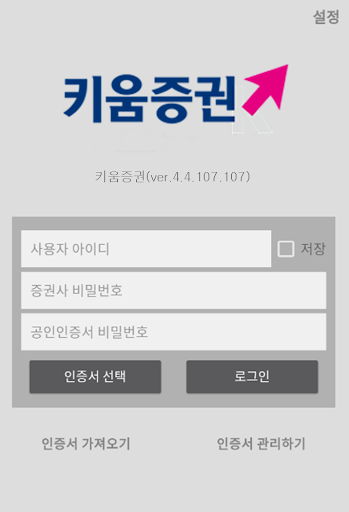
Easy login (import certificate, manage certificate)[Notice]1.
Normally available only through the Securities Tong App- Install the Securities Tong App https://goo.gl/BVYrdT2.
Kiwoom Securities account and public certificate are required for trading.- Non-face-to-face account opening https://goo.gl/b26g8f3.
Both Securities Tong APP and Kiwoom Securities Trading Module APP need to be installed.- The trading module cannot be run alone; it can be used in conjunction with the Securities Tong app.[customer service center]1.
Securities Tong related inquiries: Securities Tong 02-2128-33992.
Trading module login information and trading-related inquiries: Kiwoom Securities 1544-9000
https://andro.io/app/stocktrade
 Power 100

Android app profile
증권통 키움증권 for Android – Latest Version & Features
by Tomato Group
★★★★★
(0 ratings)
Rate this app
How do you feel about 증권통 키움증권?
Thanks for your feedback!
> 2.2k
Monthly Downloads
~$900
Estimated Cost
Screenshots









