
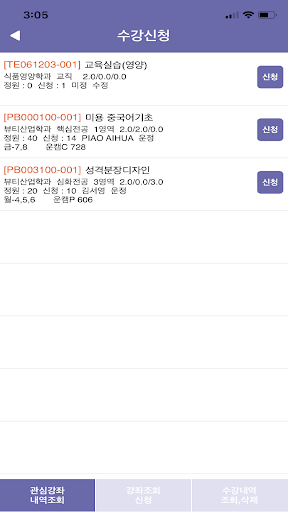
Sungshin Women’s University mobile course registration application.■ Target audience: undergraduate/graduate students■ Menu structure1.
Notice2.
Inquiry - Check open courses, check lesson plans - Check courses of interest, check course registration details3.
Add classes of interest - Add after viewing the course - View and delete courses of interest4.
Course registration - Register for courses from the list of courses of interest - Register after viewing the course - View and delete course history■ Precautions - It cannot be used repeatedly on multiple terminals.
- It cannot be used in conjunction with PC web course registration.■ Sungshin Womens Universitys mobile course registration was established in consideration of the verification standards set by the Ministry of Science and ICT.※ To use voice guidance, please activate the voice guidance function on your mobile phone.
[How to set up the voice guidance function] - Android: Settings > Accessibility > talkback
https://andro.io/app/ssuv
 Power 100



Android app profile
성신여자대학교 수강신청 for Android – Latest Version & Features
by 성신여자대학교
★★★★★
(0 ratings)
Rate this app
How do you feel about 성신여자대학교 수강신청?
Thanks for your feedback!
> 2.2k
Monthly Downloads
~$900
Estimated Cost
Screenshots









