
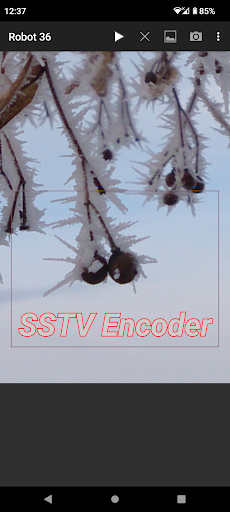
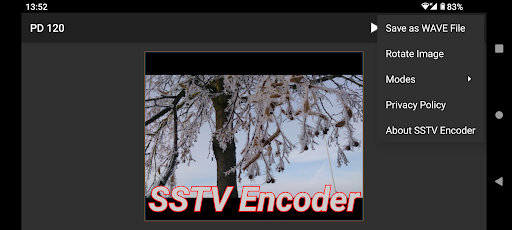
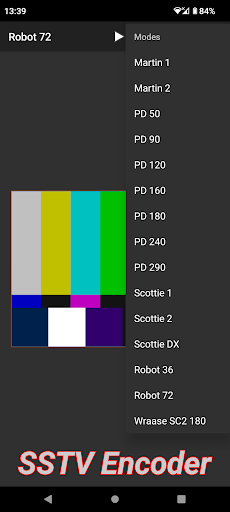
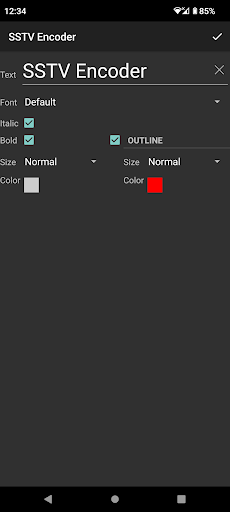
- Open Source Code -https://github.com/olgamiller/SSTVEncoder2- Supported Modes -Martin Modes: Martin 1, Martin 2PD Modes: PD 50, PD 90, PD 120, PD 160, PD 180, PD 240, PD 290Scottie Modes: Scottie 1, Scottie 2, Scottie DXRobot Modes: Robot 36 Color, Robot 72 ColorWraase Modes: Wraase SC2 180The mode specifications are taken from the Dayton Paper, JL Barber, "Proposal for SSTV Mode Specifications", 2000:http://www.barberdsp.com/downloads/Dayton%20Paper.pdf- Image -Tap "Take Picture" or "Pick Picture" menu button oruse the Share option of any app like Gallery to load an image.To keep the aspect ratio, black borders will be added if necessary.Original image can be resend using another mode without reloading.After image rotation or mode changing the imagewill be scaled to that modes native size.After closing the app the loaded image will not be stored.- Text Overlay -Single tap to add a text overlay.Single tap on text overlay to edit it.Long press to move text overlay.Remove the text to remove a text overlay.After closing the app all text overlayswill be stored and reloaded when restarting.- Menu -"Play" - Sends the image."Stop" - Stops the current sending and empties the queue."Pick Picture" - Opens an image viewer app to select a picture."Take Picture" - Starts a camera app to take a picture."Save as WAVE File" - Creates a wave file in the Music folder in SSTV Encoder album."Rotate Image" - Rotates the image by 90 degrees."Modes" - Lists all supported modes.- SSTV Image Decoder -Open Source Code:https://github.com/xdsopl/robot36/tree/androidOn Google Play the working app "Robot36 - SSTV Image Decoder":https://play.google.com/store/apps/details?id=xdsopl.robot36
https://andro.io/app/sstvencoder
 Power 100
Android app profile
SSTV Encoder for Android – Latest Version & Features
by Olga Miller
★★★★★
(0 ratings)
Rate this app
How do you feel about SSTV Encoder?
Thanks for your feedback!
> 2.2k
Monthly Downloads
~$900
Estimated Cost
Screenshots









