
ASUS Splendid lets you adjust your screen for your own viewing pleasure.
It’s easy-to-use interface lets you adjust viewing modes based from an image, a color spectrum, and your actual apps screen.
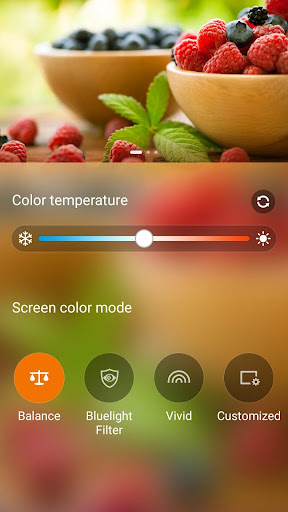
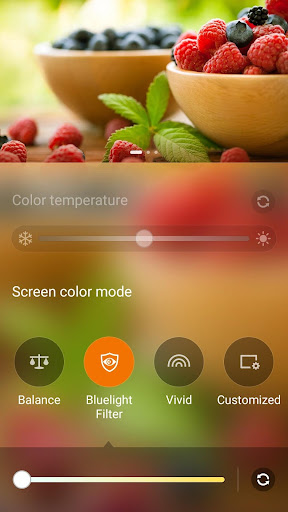
Key featuresBalance mode: Strike the right balance between warmth and coolness as you adjust the Color temperature bar in this modeBluelight Filter (Previous Reading mode): Say goodbye to eye strain as you switch to this mode when reading files onscreen.
It turns your device into an instant e-Reader.
The feature depends on device HW limitation and some model would not support.Vivid: Let photos come alive and movies pop out onscreen using this mode.
Vivid mode is also the secret weapon in your gaming arsenal.
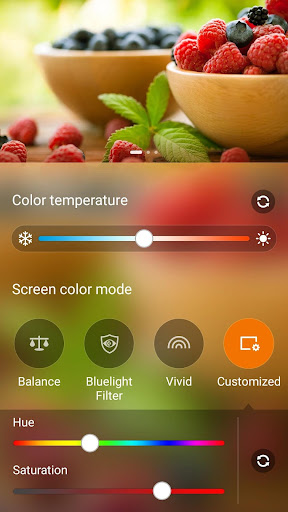
Customized: Get full access to your display options in this mode.
Here, you can also adjust the Hue and Saturation of your screen, along with the Color temperature, according to your specific preference.
NoteThe user interface and features may vary depending on hardware limitation and Android version.
https://andro.io/app/splendid-1hw3b
 Power 100

Android app profile
ASUS Splendid for Android – Latest Version & Features
by Mobile, ASUSTek Computer Inc.
★★★★★
(0 ratings)
Rate this app
How do you feel about ASUS Splendid?
Thanks for your feedback!
> 2.2k
Monthly Downloads
~$900
Estimated Cost
Screenshots









