
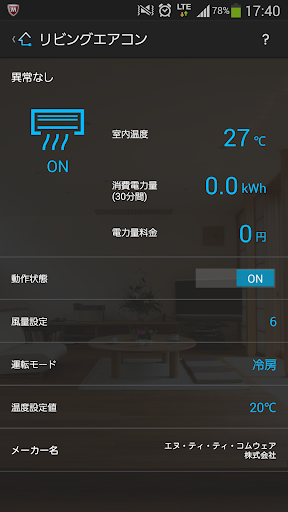
【Overview】This is an application that remotely controls the "smart home appliance app" provided by NTT Comware Corporation (NTT COMWARE).*The smart home appliance app is an application that runs on "Hikari BOX+ (EMS version)" provided by NTT Comware.[Persons who can use]Those using Hikari BOX+ (EMS version) at home* Those who use the regular version of Hikari BOX+, not the EMS version, cannot use this application.[Main functions]The following functions are mainly provided for devices connected to your Hikari BOX+ (EMS version).・Remote control of equipment・Device status reference・Referring to the amount of power used by the device[Compatible OS]Android 6.0 or higher*Even if it is a compatible OS, it does not guarantee operation on all models.* On tablet devices, the screen may collapse and operation may not be possible.[Connection method]1.
Install this application on your smartphone2.
Launch this application on your smartphone3.
On your Hikari BOX+ (EMS version) smartphone link setting screen, select "Yes" for remote operation permission setting4.
Follow the instructions displayed on the Hikari BOX+ (EMS version) screen to set up5.
Start operation【Notes】Up to 10 smartphones can be registered per Hikari BOX+ (EMS version).Available functions differ depending on the device connected to Hikari BOX+ (EMS version).
https://andro.io/app/sp-z6r4
 Power 100


Android app profile
スマート家電アプリ(光BOX+(EMS版)) for Android – Latest Version & Features
by NTTコムウェア
★★★★★
(0 ratings)
Rate this app
How do you feel about スマート家電アプリ(光BOX+(EMS版))?
Thanks for your feedback!
> 2.2k
Monthly Downloads
~$900
Estimated Cost
Screenshots




