
Sound Matrix - Xylophone.
Form your matrix of Xylophone rhythms.
Edit it on the run.
Play automatically or manually.In this program you can generate xylophone rhythms on a matrix using xylophone samples.
There are three different instruments: celesta, glockenspiel, marimba, music box, vibraphone, xylophone.
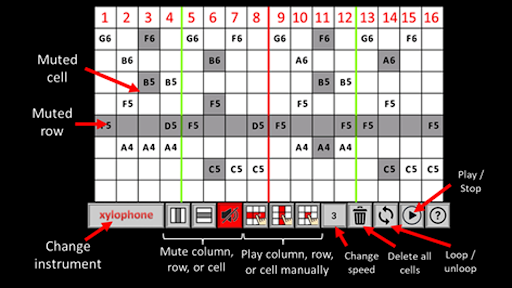
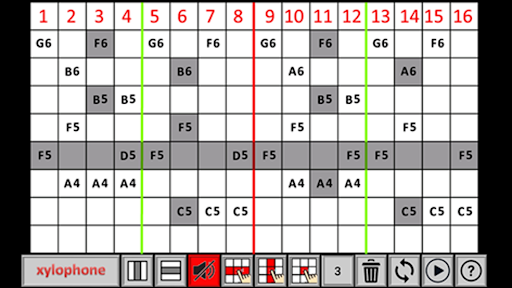
You can add new elements to the matrix while the rhythm is playing or mute the cells, columns, or rows.
This enables user to generate progressive tracks on the run.
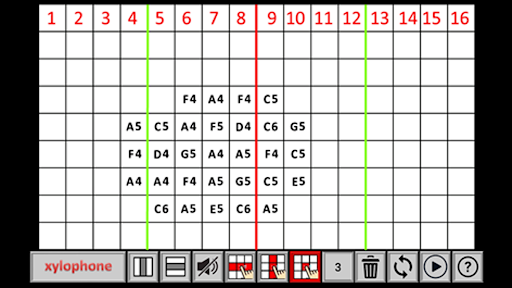
You can also play the xylophone manually by touching the columns, rows, or cells of the matrix.
All the samples in the touched column, row, or cell plays at once, respectively.
By putting different samples to the columns you can have many combinations while playing manually.You can loop or unloop the track.
You can also change the playing speed.You can erase all the cells at once by pressing the delete button.
If you want to delete a single cell, touch to the cell while no sound is selected in the sound palette.
Hope you enjoy the program.
All feedback is welcome.
https://andro.io/app/soundmatrix-xylophone
 Power 100

Android app profile
Sound Matrix - Xylophone for Android – Latest Version & Features
by sozer.apps
★★★★★
(0 ratings)
Rate this app
How do you feel about Sound Matrix - Xylophone?
Thanks for your feedback!
> 2.2k
Monthly Downloads
~$900
Estimated Cost
Screenshots









