
Crowdsniffing Application is a very useful application for everyone, designed with an intuitive design and a simple user interface.
The Application visualizes the air quality on a map with different layers, temperature and humidity data.
The data is measured with Sniffer devices (IoT device), which can be built by anyone, and other data providers.
With this information the user can plan and decide his activities according to the Air Quality Index.
With the CrowdSniffing Application, you can easily check the following actual and historical values on the layered map or for each Sniffer device:· Weather Data - Temperature and Humidity· Pollutant Values - PM 2.5 and PM 10 FEATURES:1) Display Air Quality Status and Pollutant values - Air Quality Status and Pollutant Values will be shown with the Sniffer device on the map.
The sniffer devices colored status will be described according to the EPA standards.
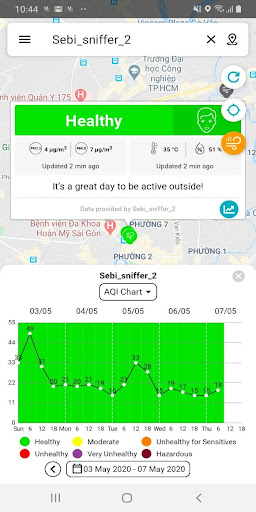
2) Show the places of each Sniffer device: Each Sniffer device is shown on the map indicating the Air Quality Index, the showing the last measured values of the pollutants, temperature and humidity.
Further for each Sniffer there are graphical charts for all different values for the historical data.
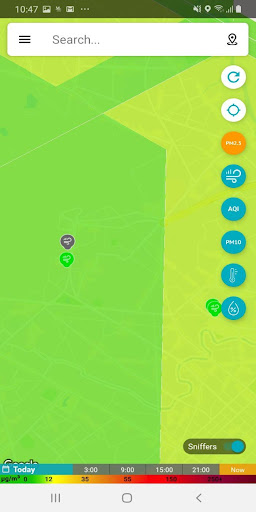
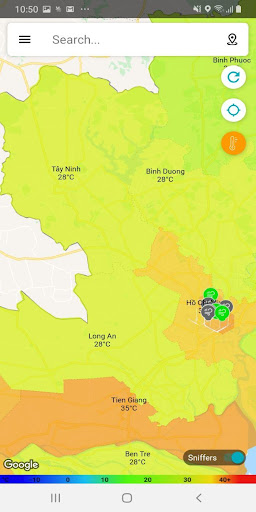
3) Layered Maps for Pollutant Values and Weather Data - Pollutant Values(PM 2.5 and PM 10) and Weather Data(Temperature and Humidity) will be indicated with colors on their individual layered maps.
Pollutant values and Weather Data of Areas can also be checked with their measured at time on the layered maps.
4) Show Historical Data - In PM 2.5 Layered Map, historical data can be checked according to the selected dates and times.
5) Graphical Chart Feature - For the data of Individual Sniffer Device, it shows with "Chart" and we can see data on the chart according to the chosen dates.
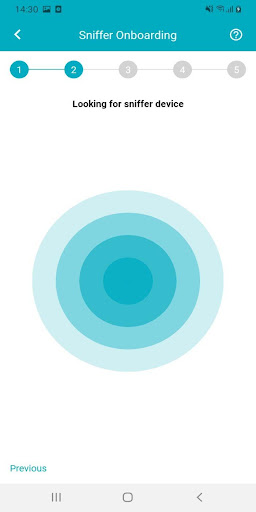
6) Sniffer Onboarding Feature - With Crowdsniffing Application, sniffer owner can register and update his sniffer and sniffer device can send data to our application and data of sniffer device can be shown back on the map.
https://andro.io/app/sniffer-1kpki
 Power 100
Android app profile
Crowdsniffing for Android – Latest Version & Features
by Axon Active
★★★★★
(0 ratings)
Rate this app
How do you feel about Crowdsniffing?
Thanks for your feedback!
> 2.2k
Monthly Downloads
~$900
Estimated Cost
Screenshots









