
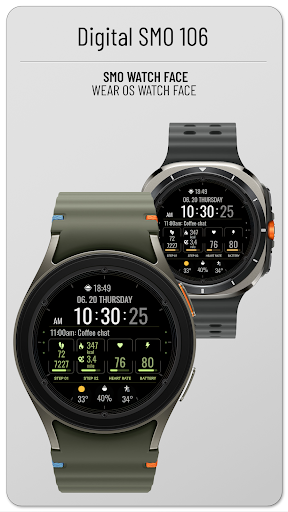
This is a watch face that can be used based on WEAR OS.Its a great structure for understanding information at a glance.How to install1.
Click the drop-down button next to the install button and select the watch you want to install.
Click the install button and wait until the installation is complete.2.
Activate once installation is complete.
a.
To activate it on the watch, press and hold the watch screen and move it to the left to select the watch face.
Add and select the newly installed watch face.
b.
To activate on a smartphone, run an app such as (ex) Galaxy Wearable and click at the bottom.
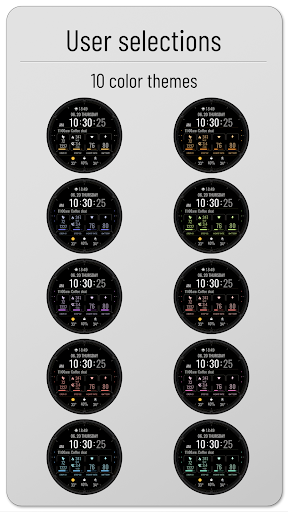
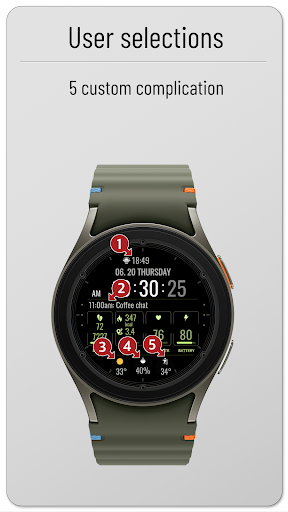
Select ‘Downloaded’ and apply.You may need to install additional complication apps to use the complication.All tests were conducted with Samsung Galaxy Watch 4.The composition of this watch face is as follows.- Battery amount- 5 complications- Step count (10,000 steps/day)- Step count graph- heart rate- 10 colors* Long press on the watch screen > Open custom settings to change the desired configuration.
https://andro.io/app/smo106
 Power 100

Android app profile
Digital SMO106 for Android – Latest Version & Features
by SMOWatch
★★★★★
(0 ratings)
Rate this app
How do you feel about Digital SMO106?
Thanks for your feedback!
> 2.2k
Monthly Downloads
~$900
Estimated Cost
Screenshots









