
Looking for an easy and convenient way to transfer files, photos, movies, songs, and more to and from your Android device without using USB cables?
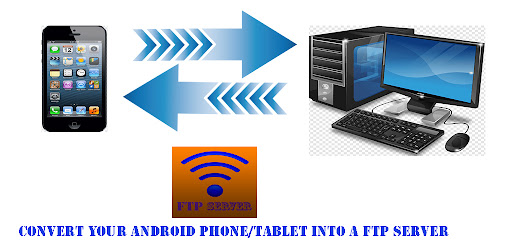
Look no further than FTP Server, a free app that turns your Android phone or tablet into an FTP server.With FTP Server, you can host your own FTP server and use a client like FileZilla to transfer files to and from your device.
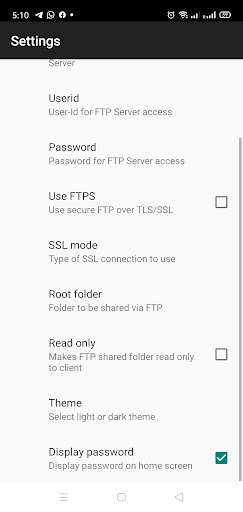
And with its complete FTP server that includes configurable port number, support for FTP over TLS/SSL (FTPS), configurable anonymous access, and configurable home folder (mount point), this app has everything you need for fast, secure file transfers.Some of the key features of FTP Server include the ability to avoid using USB cables for file transfer, work over WiFi and WiFi tethering mode (hotspot mode), and support for SFTP (coming soon).
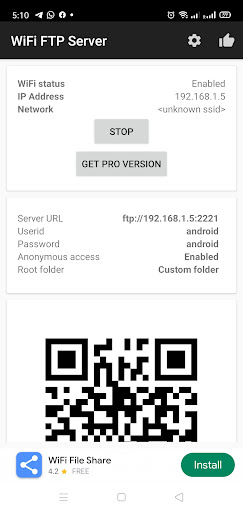
And with its user-friendly interface, this app is easy to use and configure.To use the app, simply connect to a WiFi network and open the app.
Click the start button and key in the server URL in a FTP client or windows explorer to transfer files.
And if you like this app, try our ad-free version for an even better experience.So why wait?
Download FTP Server today and start enjoying fast and convenient file transfers without the need for USB cables.
And if you have any feedback or bugs to report, please email us at the support email-id.To improve the performance of this app on your Android device, follow these steps: Make sure that your device is running on Android 5.0 or higher.
This app requires this version of Android to function properly.
To access the external SD card, open the app settings and click on "mount folder." Select "custom" and then select the external SD card on the next screen.
Once you have set up the app, you can use it to host your own FTP server on your Android device.
This will allow you to transfer files, photos, movies, and songs to and from your device using a FTP client like FileZilla.
https://andro.io/app/smartwififtpserver
 Power 100

Android app profile
smart FTP server for Android – Latest Version & Features
by Litastudio
★★★★★
(0 ratings)
Rate this app
How do you feel about smart FTP server?
Thanks for your feedback!
> 2.2k
Monthly Downloads
~$900
Estimated Cost
Screenshots









