
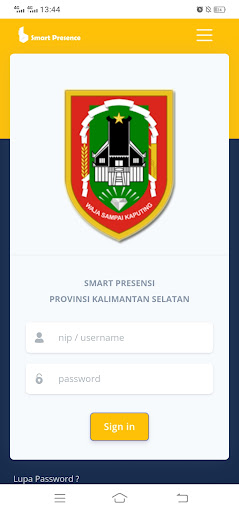
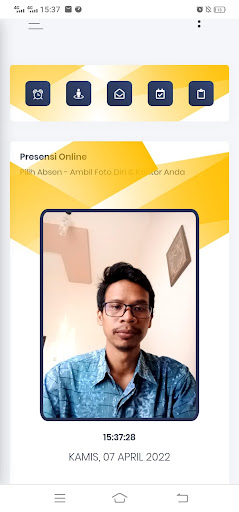
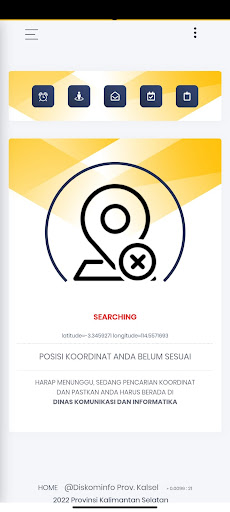
PRESENCE SMART APPOnline Presi system that can be done by each employee using a cellphone Via GPS, QR Code & Capture Photos & Your Office,Application Features:1.
Absent & UB/SKJ : This feature is used when employees want to record daily attendance and attendance at UB/SKJ activities,2.
Other Permits: This feature is used for online application for Foreign Service, Permission, Sickness and Leave,3.
Activities: This feature is used to fill the daily activities of employees,4.
Report: This feature contains a report on his/her attendance and other permits that can be viewed directly using a cellphone by each employee,5.
Endorsement: This feature is used by employees to carry out Approval/Approval/Remainder online using the cellphone of each employee.QR CODE: This feature is used for employees who do not have a cellphone, where with this feature attendance can still be done byusing a QR Code scan done by a colleague who then captures photos and the office of each employee who wants to make a presenceBy using this smart presence, the presence &Attendance reports can be carried out and monitored every day, on a daily basisfast and accurate online
https://andro.io/app/smartpresensi
 Power 100

Android app profile
SP - Smart Presensi Kalsel for Android – Latest Version & Features
by Pemerintah Provinsi Kalimantan Selatan
★★★★★
(0 ratings)
Rate this app
How do you feel about SP - Smart Presensi Kalsel?
Thanks for your feedback!
> 2.2k
Monthly Downloads
~$900
Estimated Cost
Screenshots









