

-- Smart Night Clock provides you with different stylish clocks which you can set as Wallpaper and Screen Saver.
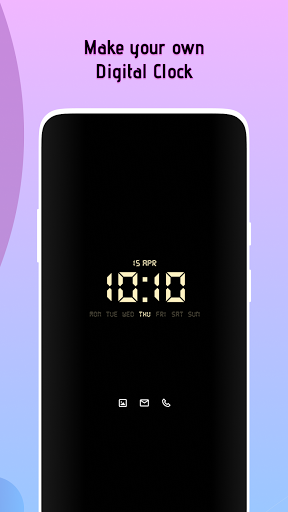
-- Different types of Clock are present for your preference to choose from: Analog, Digital and Edge Clock.
-- You can completely customize your own Clock by choosing your desired Font, Color, Clock Position.
-- Now never forget whats in your planned task, Use Events to add your tasks and get reminders for them.
-- Keep an eye on time of every corner of the World with help of World Clock.
-- Analog Clock: - Where you can select any clock for further use as Wallpaper or Screensaver.
-- Digital Clock: - On selection of any Digital Clock you will get directed to Customization Screen.
- In Customization Screen you can select any desired Font, Color, Gradient color and Position of Clock.
-- Edge Clock: - Edge Clock have same features as Digital Clock but it will align on screen corners.
-- Events: - You can select your desired Date and time for Event to occur.
- Repeat Reminder (Event): -- You can turn on/off reminder repeat feature with help of switch.
-- Daily ~ In Daily you can select week days on which you want to get event.
(Sunday, Monday, Tuesday, etc) -- Weekly ~ In weekly you will get reminder after 7 days from selected date.
-- Monthly ~ In Monthly you will get reminder every month of the selected date.
-- Yearly ~In Yearly user will get reminder every year of the selected date.
- You can even select Remind before time:- on time, 5 min before, 10 min, 15min, 30min.
By this feature you will get reminder before selected time of event.
-- World Clock: - Current time is shown in top of screen.
- You can add any city around the world from the list.
-- You can turn on Speak time functionality by which you will get narrator speaking time at selected time interval.
-- With Remove Wallpaper and Screensaver you can remove current selected Wallpaper and Screensaver respectively.
Permission : Appear On Top - to set Clock for screen saver we need this permission
https://andro.io/app/smartnightclock-oyu4



Rate this app
How do you feel about Smart Night Clock?
Thanks for your feedback!
> 2.2k
Monthly Downloads
~$900
Estimated Cost
Screenshots









