
Use your device (Mobile / Tablet) and Bar Code Reader.
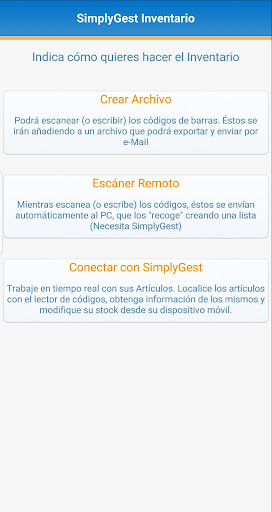
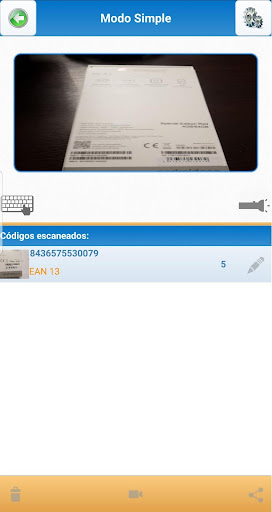
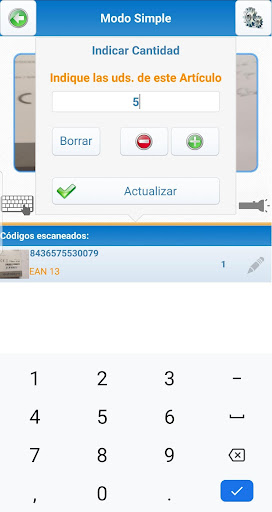
Scan barcodes and send them directly to the server SimplyGest or export them to a .txt file that you can send via email.There are three modes of operation:1) Create File:- You can scan (or manually enter codes) and add them to a list, you can export to a .TXT and send it by e-Mail- That .TXT utility can import it from the "Inventory from File" SimplyGest, or from other applications, Excel, etc.2) Remote Scan:- You can scan (or manually enter codes) and these are sent to SimplyGest, that is "picking up" in real time from the utility "Remote code reader" automatically- Need SimplyGest on the PC3) Connect with SimplyGest:- This option connects to SimplyGest in real time and allows working with a particular group of items (for family or location), or all items.- Scanning codes (or typing) we can locate items and check / update your stock in real time as well as current information in the article.- If the item does not exist, we give you the option to create on the fly from Mobile / Tablet.- This option requires SimplyGest and Module Client / ServerLimitations and Compatibility• The "Connect to SimplyGest" mode requires the latest version of SimplyGest with Module Client / Server on the PC• The "Connect to SimplyGest" mode is not compatible with Standard SimplyGest
https://andro.io/app/simplygestinventario
 Power 100

Android app profile
SimplyGest Inventario for Android – Latest Version & Features
★★★★★
(0 ratings)
Rate this app
How do you feel about SimplyGest Inventario?
Thanks for your feedback!
> 2.2k
Monthly Downloads
~$900
Estimated Cost
Screenshots









