
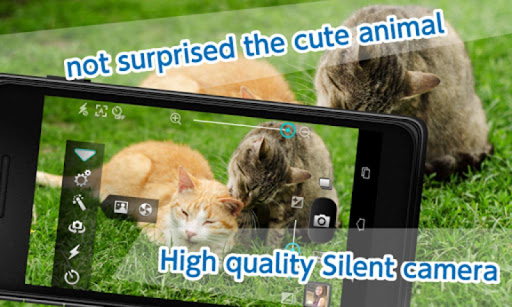
You can continuously shoot without the shutter sound.№ 1 is chosen in the acquisition of a Silent Camera ClassicAcquisition № 1 Silent Camera Classic at Google Play for some of Country Surpassed 20 million downloads!Silent shutter with a timer!"Hi-speed Continuous shooting" is a new appearanceseveral times faster than the continuous shooting of up to now!Please experience!Gif animation creation and high-speed continuous shooting has been added!
★Scene can be used- Photos of children and pets.- Party camera.- Shooting sports【The main features】
☆Silent shooting
☆Hi-speed Continuous shooting
☆Continuous shooting ON / OFF .
This will continue shooting until you TAP Again.
☆Zoom shooting.
☆Exposure conversion.
☆Self timer.
☆Auto focus switching.
* Blue is On, red is Off.
When you tap the camera button, it taks pictures after auto-focus .
If you want to take pictures in easy, you use with auto-focus function. Function Off, When you tap the camera button, it taks pictures without auto-focus .
You can shoot faster than with auto-focus.
If you do not want to miss good shooting chance, use this function.
☆Auto focus by tapping the screen
☆"Volume key" └ You can adjust the speed of continuous shooting.
☆"Best Shot" └ after continuous shooting, you can choose to save the image.
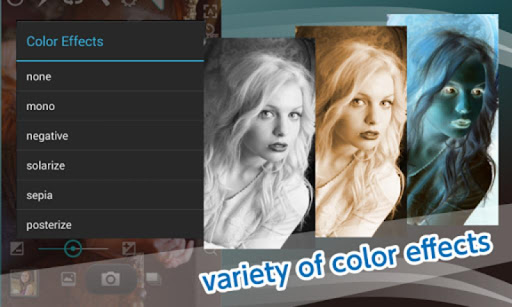
☆Various settings page
https://andro.io/app/silentcameraclassic
 Power 100

Android app profile
Silent Camera Classic Continuo for Android – Latest Version & Features
by Glopa Apps
★★★★★
(0 ratings)
Rate this app
How do you feel about Silent Camera Classic Continuo?
Thanks for your feedback!
> 2.2k
Monthly Downloads
~$900
Estimated Cost
Screenshots









