
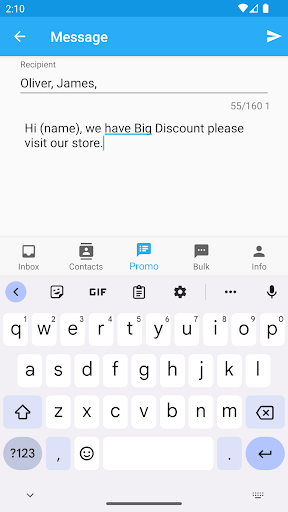
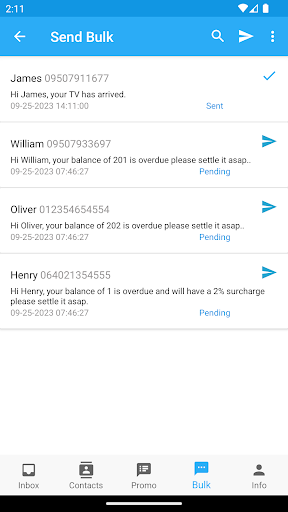
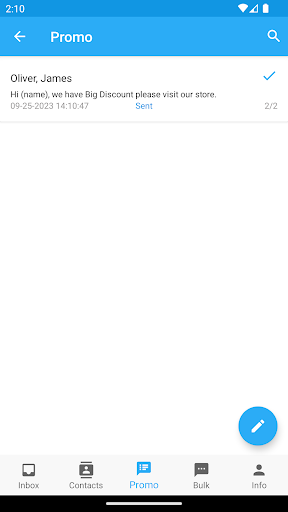
Fetch Contacts and Messages from your Googles Sheets and Send it using the your mobile device.Use Code like (name) and many more to automatically substitute Client name or other data upon sending the text message.• Get Messages from Google Sheets and send it all using your mobile device• Send messages to multiple recipients automatically making it personalized message.• Automatically set Recipients/Clients Details(Ex.
Name, Amount to pay, Due dates etc.) base on what you want and send it in Bulk.• Send SMS in Bulk wtih few Clicks.IMPORTANT NOTE: Use your OWN Google Sheets (Just make a copy Google Sheets using your own Google Account, link below)HOW TO USE:Google Sheets1.
Go to this link: https://docs.google.com/spreadsheets/d/1_QOGD311T0MsGwbWKw9v0KvGR7wZJZFvrEcPS5KWlfg/edit#gid=12678363402.
After opening the link in your browser Click File(Located in upper left corner) -> Click "Make a Copy" -> Click "Make a Copy" again.3.
After making your own copy.
Click "Share"(Located in upper right corner) -> under General Access section change "Restricted" to "Anyone with link" -> Change "Viewer" to "Editor" -> Click "Done"4.
You can now replace the sample data in Google Sheets with your own own data.5.
Copy the URL link of your Google Sheets example:"https://docs.google.com/spreadsheets/d/1_QOGD311T0MsGwbWKw9v0KvGR7wZJZFvrEcPS5KWlfg/edit#gid=1267836340" -> paste your Google Sheets URL in your Application.Application1.
Click "SET SHEET URL" paste your Google Sheets URL ->Click Update2.
You can watch the full tutorial here: https://www.youtube.com/playlist?list=PLhcsXx9FReQHMbilGy176Qeg1R_RYQRko
https://andro.io/app/sheetbulksmssender
 Power 100
Android app profile
M Messages for Android – Latest Version & Features
by Coppersoft
★★★★★
(0 ratings)
Rate this app
How do you feel about M Messages?
Thanks for your feedback!
> 2.2k
Monthly Downloads
~$900
Estimated Cost
Screenshots









