

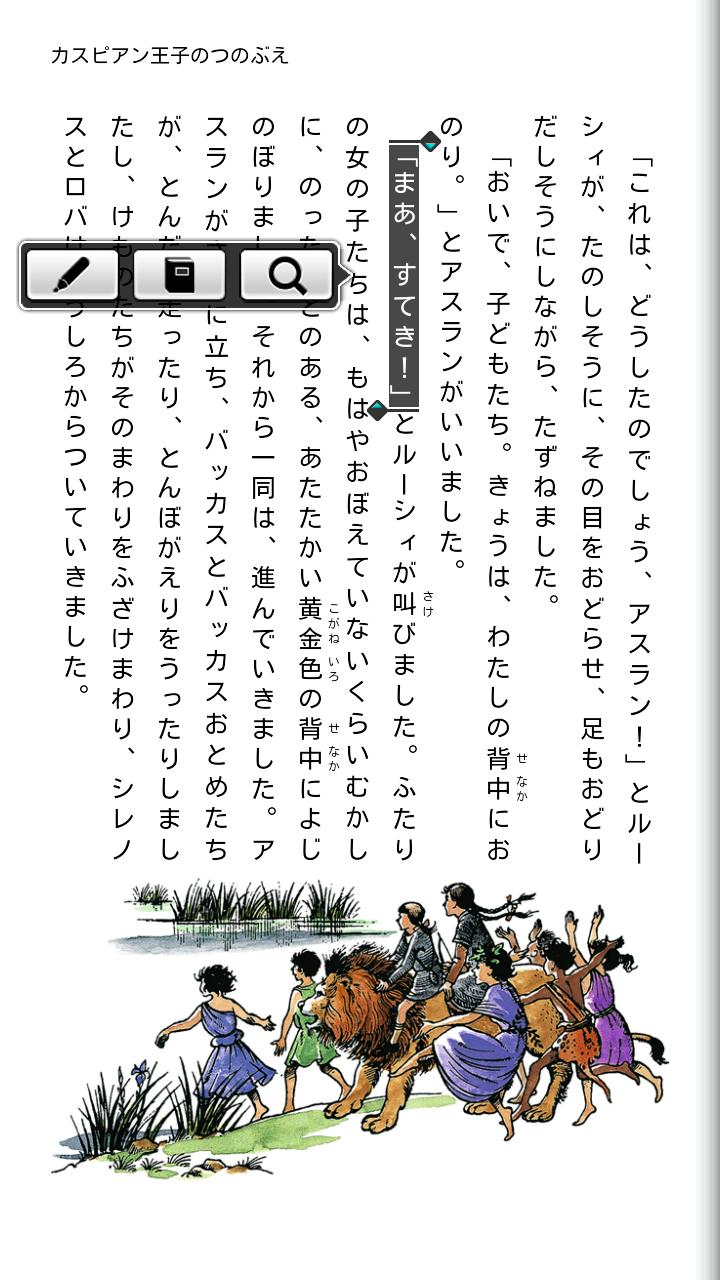

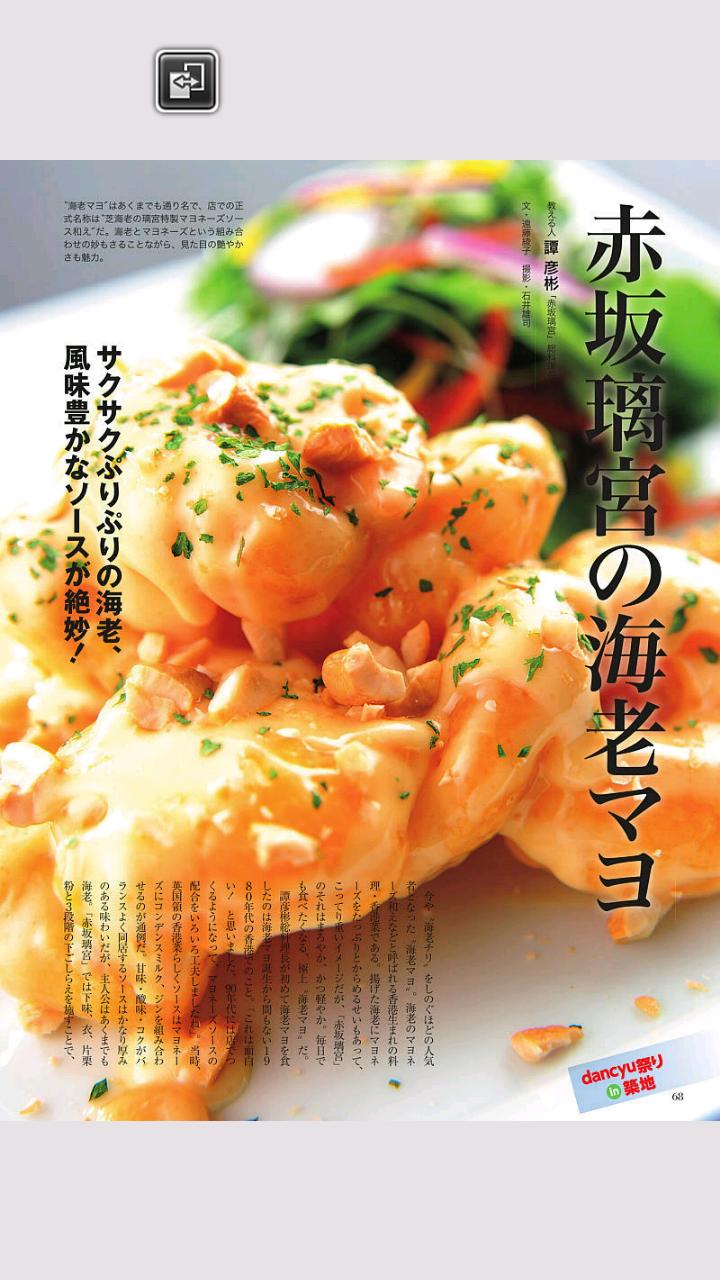
このアプリは、シャープ株式会社の電子書籍ストア「COCORO BOOKS」専用のビューアアプリです。小説、ラノベ、コミック、写真集、雑誌など40万冊以上の電子書籍に加え、『日経新聞 電子版』もお楽しみいただけます。青空文庫をはじめ無料の電子書籍も1万冊以上。おトクなプリペイド式のポイントシステムもございます。■特長<コンテンツが充実・おトク>・小説、ラノベ、コミック、写真集、雑誌、実用書、ビジネス書など豊富な品揃え・青空文庫をはじめ無料で読める電子書籍が1万冊以上・雑誌は高精細画質で、拡大してもくっきり綺麗・『日経新聞 電子版』も読める・半額を中心としたお買い得商品が毎日登場する「日替わりセール」・いつでもおトクなプリペイド式のポイントシステム<シャープだから安心・便利>・買った本はクラウド上の「ネット書庫」で自動バックアップ・機種変更をしても引き続き読める・同時に最大5台の端末で利用できる・決済方法は、クレジットカード、ドコモケータイ払い、auかんたん決済、WebMoney(ウェブマネー)から選べる・ダウンロードしておけば圏外でも読める・海外でも利用できる・閲覧中に気になる単語があれば、購入した辞書で調べることができる・定期購読した雑誌が自動で届く・シークレットモードで本棚の本を隠すことができる<読みやすい>・多くの電子書籍ストアで採用されているシャープのEPUB電子書籍ビューアで読みやすい・文字サイズを変更できる・フォントの種類を変更できる・文字色と背景色を変更できる・ルビ表示、太文字表示、段組み表示など自分好みに調整できる・挿絵など画像を拡大できる・端末の音量ボタンでページめくりできる・ページめくりのエフェクトを変更できる・拡大したままページめくりできる・しおり(ブックマーク)、マーカーを利用できる・気になる言葉や登場人物名で本文中を検索できる※上記特長の詳細および制限事項はこちらをご確認ください。(http://galapagosstore.com/web/static/spec?cid=ad_app000000a)■アプリ動作条件・Android(TM)5.0以上・表示解像度:800×480以上・外部または内部ストレージがある端末※すべての端末での動作を保証するものではありません。(アプリ動作環境を満たさない場合は起動制限を行っている場合があります)※機種によってはコンテンツの保存先に「外部」(SDカード)を選択できない場合があります。※動作対象外の機種はこちらをご確認ください。(http://galapagosstore.com/web/guide/howto/page_a3?cid=ad_app000000a#anc4)■ご利用方法について詳細なご利用方法はこちらをご確認ください。(http://galapagosstore.com/web/guide/top?cid=ad_app000000a)[重要]●使い勝手や品質維持のため、ver.4.0.3からAndroid5.0未満の端末を、ver.3.4.4からAndroid4.0未満の端末を、それぞれサポート対象外とさせていただきます。お客様にはご不便をおかけしますが、ご了承いただきますようお願いいたします。■お問い合わせサービス サポートセンター問合せフォーム: (http://galapagosstore.com/web/guide/before_inquiry?cid=ad_app000000a)■直近の更新情報v4.1.1・Target SDK 29に対応しました・ストレージ仕様変更に伴い保存先[標準]の場所を変更しました※アップデート後の初回アプリ起動時に保存先[標準]のデータを移動します・軽微な不具合対応■コンテンツご協力©荒木飛呂彦・LUCKY LAND COMMUNICATIONS/集英社瀬田貞二 C.S.ルイス/岩波書店CREA Traveler Autumn No31/文藝春秋dancyu 2012年12月号/プレジデント社This app is a viewer app exclusively for Sharp Corporations e-book store "COCORO BOOKS".In addition to more than 400,000 e-books such as novels, light novels, comics, photo books, and magazines, you can also enjoy the "Nikkei Shimbun Electronic Edition".There are more than 10,000 free e-books including Aozora Bunko.
There is also a prepaid point system that is advantageous.■ Features ・ A rich assortment of novels, light novels, comics, photo books, magazines, practical books, business books, etc.・ More than 10,000 e-books that can be read for free, including Aozora Bunko・ Magazines have high-definition image quality and are clearly beautiful even when enlarged.・ You can also read "Nikkei Newspaper Electronic Edition"・ "Daily sale" where bargain products centered on half price appear every day・ A prepaid point system that is always advantageous ・ The books you bought are automatically backed up in the "net library" on the cloud.・ Can be read continuously even if the model is changed・ Can be used on up to 5 terminals at the same time・ Payment method can be selected from credit card, docomo mobile phone payment, au simple payment, and WebMoney.・ If you download it, you can read it even outside the service area.・ Can be used overseas・ If there is a word you are interested in while browsing, you can look it up in the purchased dictionary.・ Magazines you subscribe to will be delivered automatically・ You can hide the books on the bookshelf in secret mode.
・ Easy to read with Sharps EPUB ebook viewer used in many ebook stores・ You can change the font size・ You can change the font type・ You can change the text color and background color.・ You can adjust the ruby display, bold text display, column display, etc.
to your liking.・ Images such as illustrations can be enlarged・ You can turn pages with the volume button on the terminal.・ You can change the page turning effect.・ You can turn pages while enlarging・ Bookmarks and markers can be used・ You can search the text by the words you care about or the names of the characters.* Please check here for details and restrictions on the above features.(Http://galapagosstore.com/web/static/spec?cid=ad_app000000a)■ App operating conditions・ Android (TM) 5.0 or higher・ Display resolution: 800 x 480 or more・ Terminals with external or internal storage* We do not guarantee the operation on all terminals.
(If the application operating environment is not satisfied, startup restrictions may be applied.)* Depending on the model, you may not be able to select "External" (SD card) as the content save destination.* Please check here for models that are not eligible for operation.(Http://galapagosstore.com/web/guide/howto/page_a3?cid=ad_app000000a#anc4)■ How to usePlease check here for detailed usage.(Http://galapagosstore.com/web/guide/top?cid=ad_app000000a)[important]● For ease of use and quality maintenance, we will not support devices from ver.4.0.3 to Android 5.0 or less, and devices from ver.3.4.4 to Android 4.0 or less.
We apologize for any inconvenience caused and thank you for your understanding.■ InquiriesService Support CenterInquiry form:(Http://galapagosstore.com/web/guide/before_inquiry?cid=ad_app000000a)■ Latest update informationv4.1.1-Supported Target SDK 29-The location of the save destination [Standard] has been changed due to the change in storage specifications.* The data of the save destination [Standard] will be moved when the first application is started after the update.・ Responding to minor defects■ Content cooperation© Hirohiko Araki / LUCKY LAND COMMUNICATIONS / ShueishaTeiji Seta C.
S.
Lewis / Iwanami ShotenCREA Traveler Autumn No31 / Bungei Shunjudancyu December 2012 issue / President・Google Playの支払いポリシーの変更に伴いストアへの誘導を削除しました・軽微な不具合を修正しました
A
2
★
★
★
★
★
Kindle Fireで書籍ビューアが動作しない... 対応、お待ちしています









