
Are you an IT pro?
Confined to your desk with complex monitoring solutions?
Managing the Windows services is just a finger tip away.
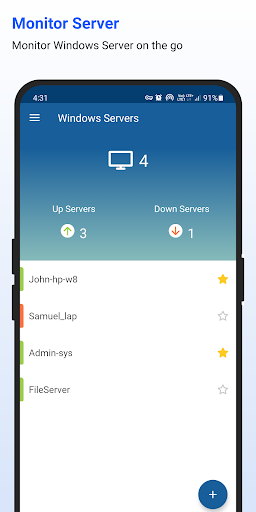
ManageEngine Server Health Monitor helps remote monitoring of all the Windows servers on the go.
Connect with any Windows server in the network using Wi-Fi and get a list view of services running on them.
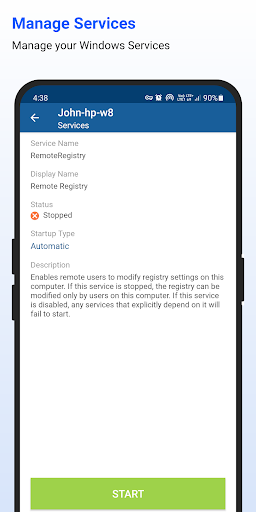
The service details fetched by the application includes service name, display name, service status, startup type and description.
Using this application change the status of Windows services and configure its startup type right from your smart phone.Key Features:* Monitors server availability.* Monitor all the services running on Windows devices on the go.* Get a list view of all the services running in your Windows device.* Change the status of Windows services to start/stop.* Configure the startup mode of windows services to Auto/Manual/Disabled mode.
* Display the complete list of services that are running on a Windows Server.* Ping server and router on the go.* Add unlimited devices for monitoring and easily locate the critical ones by marking them as favorites.Note:The App will install a agent in Windows server to monitor.
The port 445 should be opened in Windows server which we are monitoring.The ICMP protocol should be kept enabled.
https://andro.io/app/serverhealthmonitor
 Power 100


Android app profile
Windows Service Monitor for Android – Latest Version & Features
by ManageEngine
★★★★★
(0 ratings)
Rate this app
How do you feel about Windows Service Monitor?
Thanks for your feedback!
> 2.2k
Monthly Downloads
~$900
Estimated Cost
Screenshots









