
It is a mobile application that can conveniently use the Catholic University of Korea Seoul St.
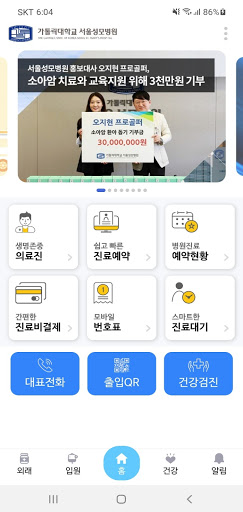
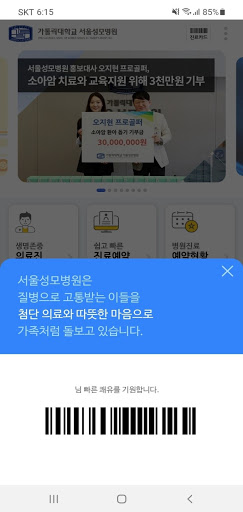
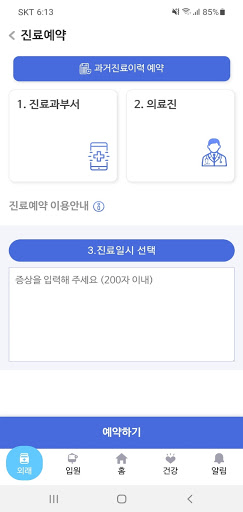
Marys Hospital.After installation, you can receive various services as below.- My scheduleYou can see the treatment and examination schedule at the hospital at once.- Payment of medical expensesYou can conveniently pay for medical expenses on mobile.- Medical appointmentYou can easily make a medical appointment through the mobile app.You can also check the reservation status.- Medical historyYou can easily check the history of treatment at the hospital.- number tagNow you can get a number ticket conveniently without waiting.- Drug prescription historyYou can check the medicines prescribed by the hospital at a glance.The Catholic University of Korea Seoul St.
Marys Hospital uses the following access rights:1.
Phone (required): Connect to customer center2.
Files and Media (Required): Profile Settings3.
Calendar (optional): Register medical appointments4.
Location (optional): Dynamics management5.
Nearby device (Bluetooth) (optional): Dynamics management
https://andro.io/app/seoul-uodn
 Power 100

Android app profile
가톨릭대학교 서울성모병원 for Android – Latest Version & Features
by 서울성모병원
★★★★★
(0 ratings)
Rate this app
How do you feel about 가톨릭대학교 서울성모병원?
Thanks for your feedback!
> 2.2k
Monthly Downloads
~$900
Estimated Cost
Screenshots









