
"Sateraito Office・Security Borwser for G Cloud" is secure browser, working with "Sateraito Offiec・Single Sign On".
This product brings higher level security management to LINE WORKS, Dropbox Business, Workplace by Facebook・Salesforce and so on.
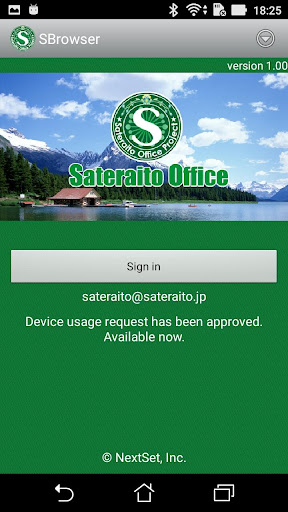
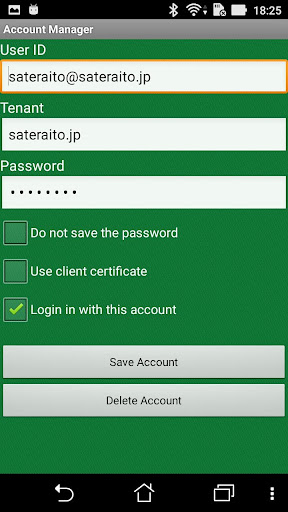
・Single Sign On with LINE WORKS ・Single Sign On with Dropbox Business ・Single Sign On with Workplace by Facebook・Single Sign On with Salesforce・Single Sign On with Chatwork・Dedicated control from individual or organization by security policy ・Access control by global IP address and device dedicated id.・Accessible pages control by URL filter・Prohibit download behavior・Automatic cookie & cash function・Prohibit copy & paste behavior・Automatic delete clipboard data function・Control automatic login・Prohibit printing・Control user behaviors with address bar・Control shared bookmark and individual・Session out function ・User access log・Notification function of update about mail & calendar, etc..By registering account and submit access request in advance.Users can access into each cloud system without ID and password in the next time, whenever they accessed from allowed network, device.《How to use this》1.Run Sateraito Office Security-Browser and move to "Account Manager" from top screen.2.Press "Add Account"3.Fill the form of account registration.Enter mail address or employee ID into "Login ID"Enter password into "Password"Check the "Login in with this account"Tap the "Register Account" button4.Press "Device Usage Request" from top screen.5.Press "Register" button6.Type the purpose of usage and tap the "Register"7.Press "OK" in the next screen8.Move to top and press "Sign in" button▽Support desk of Sateraito Office・Security Browser for Cloudhttps://sites.google.com/a/sateraito.jp/sateraito-dounyuu/Home/sapoto-chuang-kounitsuite▽Introduction page of Sateraito Office・Single Sign Onhttp://www.sateraito.jp/SSO_Dropbox.htmlhttp://www.sateraito.jp/SSO_Salesforce.htmlhttp://www.sateraito.jp/SSO_Facebook.htmlhttp://www.sateraito.jp/SSO_WorksMobile.html
https://andro.io/app/securitybrowserforcloud
 Power 100
Android app profile
Security Browser for Cloud for Android – Latest Version & Features
★★★★★
(0 ratings)
Rate this app
How do you feel about Security Browser for Cloud?
Thanks for your feedback!
> 2.2k
Monthly Downloads
~$900
Estimated Cost
Screenshots









