
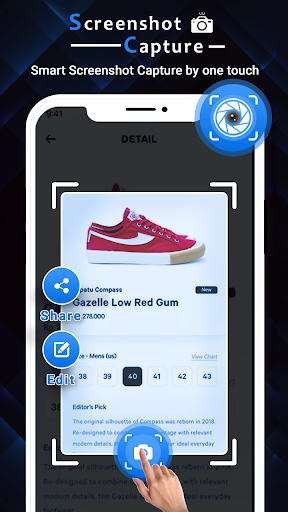
Smart Screenshot Capture : Easy Screen Recorder is the best,easiest and simplest way to capture, edit and share your mobile screen as a picture.In this Smart Screenshot Capture : Easy Screen Recorder app you can take screenshot and also you can record your game play and video call.There is a "Floating button" to capture the screen.
Floating button/gadget always remain on the top of the screen, so that you can capture easily at any time.
Screen recorder lets you record your screen to HD and Full HD videos.
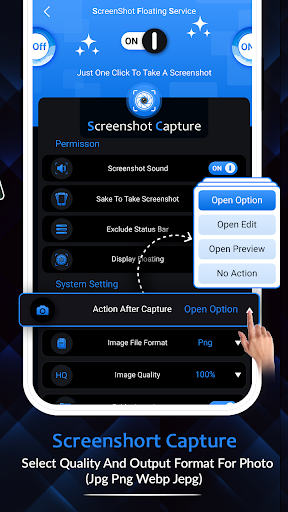
You can also record audio from the mic and it is automatically mixed into the videos.Main FeaturesScreenshot CaptureUsing this function you can take the screenshot easily with one touch on the screen.
You can take screenshot multiple moments in quick succession from video playbacks etc.You can share screenshot at taken time without any screen open.Capture high-quality screenshots at fast speed.Crop screenshot to the desired size.Screen RecorderUsing this function of Smart Screenshot Capture : Easy Screen Recorder app you can easily record any gameplay , video call or any other moments of your phone.You can record your video with or without audio.You can also chnage format , resoution and fps of your video.
You can share your video through this app directly.Record a video without watermark.Screen Recorder with FacecamEasy to pause/resume recording, rotate screenPhoto EditiorYou can Crop and rotate the screenshot that you taken through appr, round, star, triangle and other shapes.If you want to hide part from taken screenshot then you can blur the image to cover areas you do not want to showYou can also add stickers and emoji in your image.Draw anything extra on image to show more detail in screenshots.
https://andro.io/app/screenshotcapture-1dund
 Power 100


Android app profile
Smart Screenshot Capture for Android – Latest Version & Features
★★★★★
(0 ratings)
Rate this app
How do you feel about Smart Screenshot Capture?
Thanks for your feedback!
> 2.2k
Monthly Downloads
~$900
Estimated Cost
Screenshots









