
Screenshot it - new level of print screen.
Simple and convenient app for creating screenshots on your Android device.
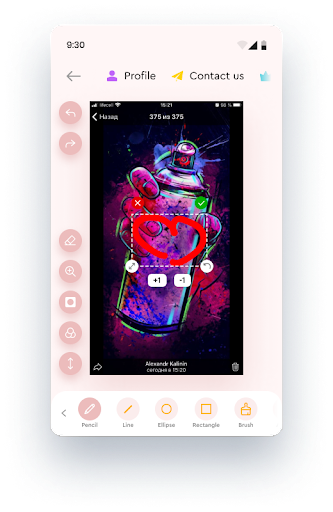
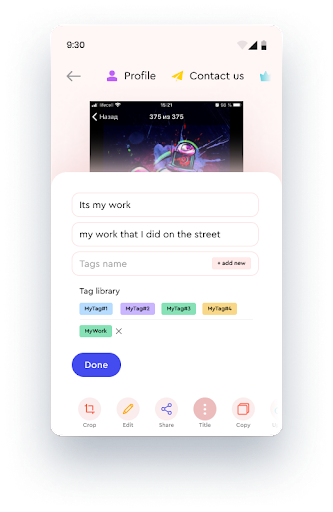
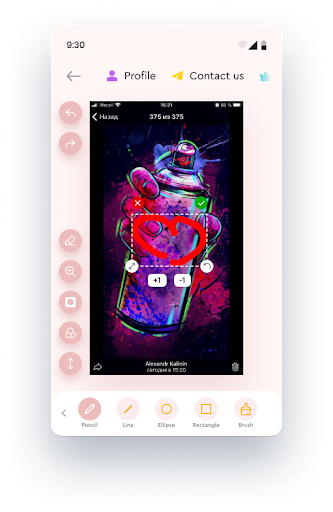
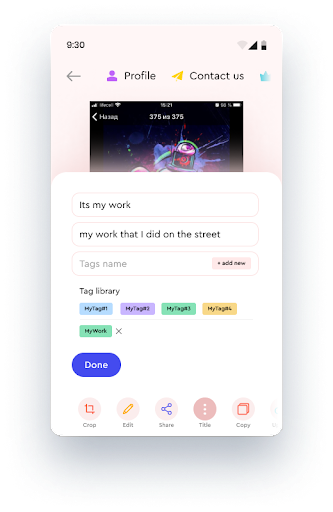
You can also use your phones camera or an existing photo in your gallery.Most importantly, the Screenshot it program has a version for Windows and all your screenshots will be combined on on page of your profile.All actions (creating a screenshot of the screen, taking a camera and taking from the gallery) can be performed from the floating button on the screen (you can change the size and transparency of the button), as well as from the buttons in the notification shade.You can crop and edit screenshots: draw with a pencil, lines, rectangles, arrows, etc., insert emoji and text, add a title and description - all these actions will be automatically updated on your screenshot page.You can group tags by tags for easy searching.You can also create private screenshots - pages will be available via a direct long link and with a ban on robots for indexing.And, of course, you can use the application without uploading to the server at all.
https://andro.io/app/screenshot-1d1j4
 Power 100
Android app profile
Screenshot It: Photo Capture for Android – Latest Version & Features
★★★★★
(0 ratings)
Rate this app
How do you feel about Screenshot It: Photo Capture?
Thanks for your feedback!
> 2.2k
Monthly Downloads
~$900
Estimated Cost
Screenshots









