
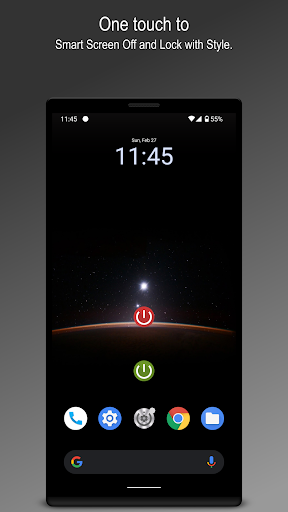
Screen Lock, is created to extend the life of the hardware power button by using the feature within the app.
Support for both Admin lock and Smart lock system.
Easy to Screen off and lock the device depending on your selected preferences.This app uses the Device Administrator permission.
Necessary for the app to lock with Admin lock.
Read write system settings permission to enable the Smart lock feature if needed.This app uses Accessibility service.
It is optional for only Android 9 and above.
Used only for taking advantage of the internal Screen Lock option to overcome the delay in the Smart lock feature.One tap to off and lock the device using:
☞ Admin lock (Shortcut)
☞ Smart lock (Shortcut)
☞ Screen lock widget
☞ Admin lock and Smart lock from notification
☞ Floating widgetScreen lock using available device sensors for both lock and wakeup feature:
☞ Flip cover
☞ Air swipe
☞ Desk option
☞ Awesome shakeUsability enhancements:
☞ ‘Movement listener’ option for a distraction-free reading experience.
☞ ‘On home screen’ for easygoing.
☞ ‘Pause on landscape’ to play games effortlessly.
☞ ‘Pause on call’ to let the device follow its default course of action.Personalisation features:Animations to pick for Phone lock experience.
Vibration feedback upon Phone locked.
Lock and unlock sound at varied points to play the tone you love to hear.
Sound volume is picked from notification sound as volume and can be further adjusted with ease, also respecting DND mode.Highly customisable lock icon with an easy-to-use interface.
Option to use Metallic and Material icon as a choice for both Admin lock and Smart lock.Animation speed is adjusted with the “Transition animation scale," and “Animator duration scale”.
Our advice, use 1x for the best ‘Screen Off’ experience.
The changes may take place after lock and unlock.Note 1: Device administration must be disabled before uninstalling.Note 2: Disable default device lock and unlock sound, if applying from this app.Any suggestions for improving the Screen Lock app are most welcome.
We’ll do our best to present you desired usage experience.
https://andro.io/app/screenlock-16i5x
 Power 100


Android app profile
Screen Lock for Android – Latest Version & Features
★★★★★
(0 ratings)
Rate this app
How do you feel about Screen Lock?
Thanks for your feedback!
> 2.2k
Monthly Downloads
~$900
Estimated Cost
Screenshots




