
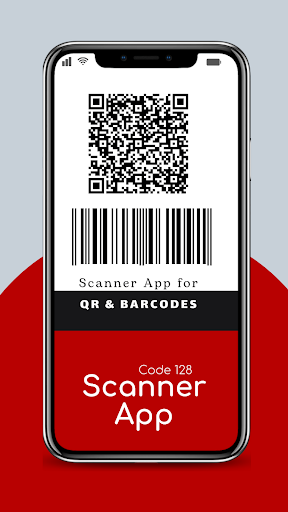
Barcode generator code 128 app creates and scan barcodes instantly.Code 128 generator is free, fast and easy to use.
Code 128 barcode creator scanner app will generate and scan barcodes on Android devices very fast and accurately.Download this free QR code scanner to scan all codes, create multiply types of code and save your data in codes.
Simply use this QR reader for every Android device.This app performs two major functions: 1.
Create QR BarcodeStore and share your data in form of QR or Barcode.
this app can create the following codes:QR_code, AZTEC, code_39, code_93, code_128, data_Matrix, EAN_8, EAN_13 ITF, PDF_417, UPC_A, UPC_E.2.
Scan Barcode or QR CodeThis QR & Barcode Scanner / QR code reader is extremely easy to use; with quick in-built scanner, simply point the QR code scanner to the QR or barcode you want to scan.
It is instant and simple.The first time you scan a QR code or Bar code with our our QR Bar code scanner app, you will be asked to give our QR code scanner permission to access the camera on your device.App Features: Make your favorite QR Barcodes Manage unlimited history QR Barcodes are usually very small in size.
They will require minimal space on your ad banner, pamphlet, product, or any other place you wish to use it. QR & Barcode Scanner will direct customers to your landing page QR-Code can be scanned by your mobile camera and does not require any special device to interpret the message. QR-Code can store a good amount of information.
Commonly, they can store up to 7089 digits or 4296 characters.
They can store data in the form of image, video, URL, etc. Share and print your QR code and BarcodeCodes:Qr_code, AZTECHC, code_39, code_93, code_128, data_Matrix, EAN_8, EAN_13 ITF, PDF_417, UPC_A, UPC_EHow to Use1.
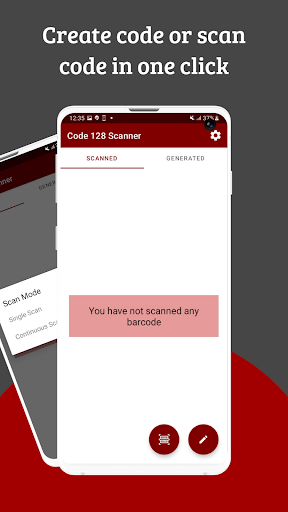
Click on the scan icon to select single or continuous scan 2.
Scan bar code or QR code and save, share, copy or export code3.
Generate specialized codes out of the listed options and add a label.4.
Edit, save, share, and copy and/or delete.Download app now to enjoy.Thank you for using our App
https://andro.io/app/scanner-1fmyb
 Power 100


Android app profile
code 128 barcode scanner for Android – Latest Version & Features
by The AppGuru
★★★★★
(0 ratings)
Rate this app
How do you feel about code 128 barcode scanner?
Thanks for your feedback!
> 2.2k
Monthly Downloads
~$900
Estimated Cost
Screenshots









