
Run Monitor is an application designed for event organizers and proof of street run, athletics competitions and other competitions.
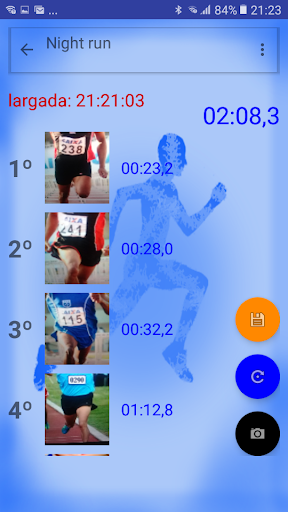
The application can be used at the finish line in the street events, recording the placement and the time of the runners, without pencil and paper clipboard need.
It photographs the breast number and records the placement and the each runner that crosses the finish line.
It can also be used as a placement, movies for the runners and participants of the event through image on the computer screen, big screen or data show, using a server and other android screen-mirroring applications.Procedures:1.
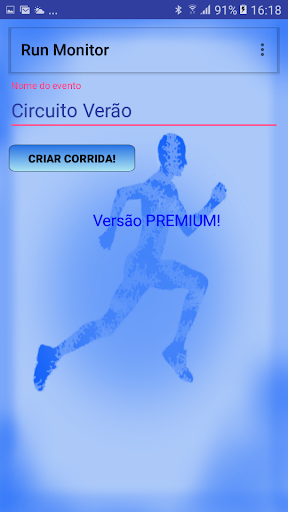
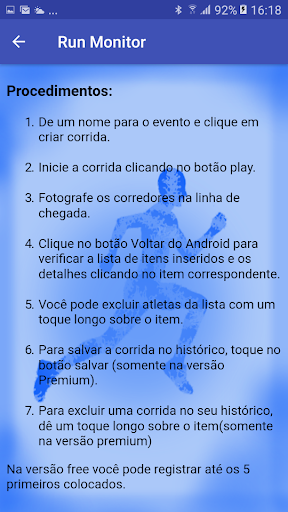
From a name for the event and click Create Run.2.
Start the run by clicking the play button.3.
Photograph the runners at the finish line.Click the Android Back button to check the list of inserted items and details by clicking on the corresponding item.5.
You can exclude athletes from the list with a long touch on the item.6.To save the race in history, tap the save button (Premium version only).7.To exclude a race from your history, tap the item (premium version only).In the free version you can register up to the top 5 placed.In the Premium version you can register up to the first 200 places of each race, and have a history of the last 50 events!
https://andro.io/app/runpodiomonitor
 Power 100

Android app profile
Run Monitor for Android – Latest Version & Features
by Diogenes de Souza Negreiros
★★★★★
(0 ratings)
Rate this app
How do you feel about Run Monitor?
Thanks for your feedback!
> 2.2k
Monthly Downloads
~$900
Estimated Cost
Screenshots









