
This a simple app that allows to add photos to your contacts.
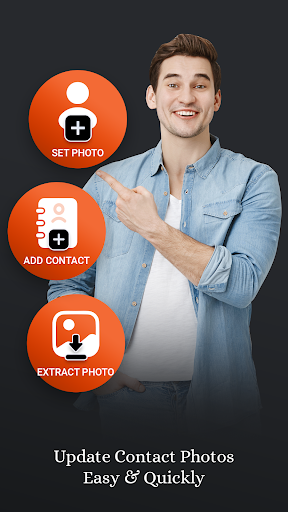
Assign photo to your contacts from Gallery or Camera.
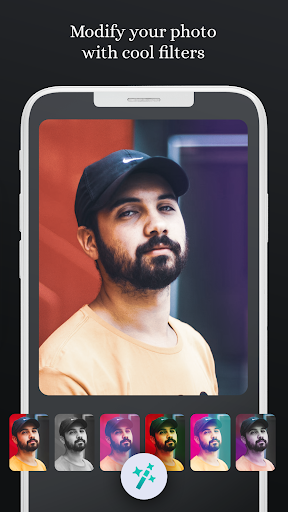
Crop photos or edit photos with cool filters and set as contact photos.Adding contact photos help you to easily identify the caller.App Features: 1.
Set Contact Photo -- Add a photo to your contact.
-- Modify Photo with different effects before you assign to contact.2.
Extract Photo -- Recover contacts photos and save photos to your gallery.3.
Add Contact -- Add contact with photo & extra details like Email, Company Name, Job Title etc...4.
Saved Photos -- All Extracted Photos are displayed here.
-- Share & delete selected photo.5.
All Contacts -- Displays all contacts with photos.
-- Also Call, SMS, Copy, Delete & Share selected contact.Permissions Required.==============================1.
READ CONTACT PERSON.We require Read Contact permission to fetch users all contacts and display them in list.2.
WRITE CONTACT PERMISSION.We require Write Contact permission to Set Photo to the selected contact.3.
CAMERA PERMISSION.We require Camera permission to access camera of device so user can capture photo and set them into selected contact.4.
STORAGE PERMISSION.We require Storage permission to select photo from the device storage and allow it to set as photo for contact.
https://andro.io/app/rs-1o6zb
 Power 100


Android app profile
Set Or Change Contact Photos for Android – Latest Version & Features
by VN Solution
★★★★★
(0 ratings)
Rate this app
How do you feel about Set Or Change Contact Photos?
Thanks for your feedback!
> 2.2k
Monthly Downloads
~$900
Estimated Cost
Screenshots









