
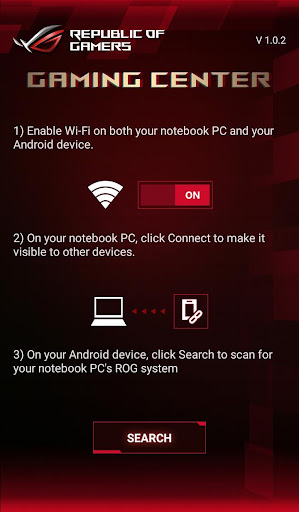
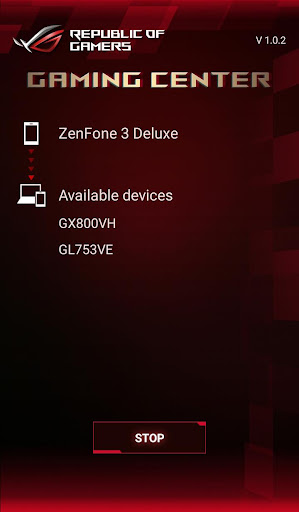
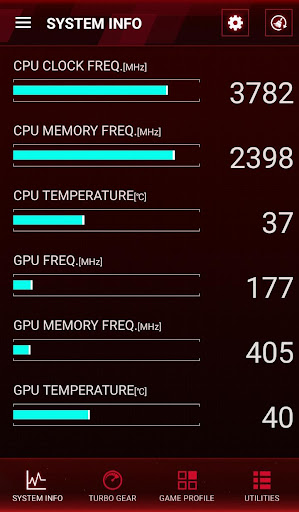
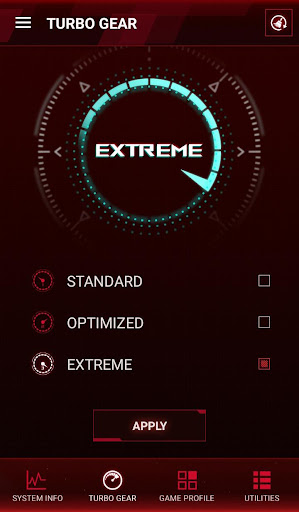
ROG Gaming Center for Android- Connect via Wi-Fi Direct- Real-time display of system information such as CPU/ GPU frequency, voltage, temperature, and others.- Turbo Gear: Lets you change to different overclocking modes to meet your performance requirement instantly.
- Game Profile: Apply all related ROG app settings by one click before game launching.
- Utilities: Quickly access and adjust all system settings such as fan speed, LED, and others.Unable to connect with your ROG laptop?
Please refer to the troubleshooting guide (PDF file).Download PDF fileNOTE: 1.
Use this app with ROG Gaming Center v2.0.0 or later version on your PC.2.
Supports Intel 6th Generation (Skylake) / 7th Generation (Kaby Lake) CPU and NVIDIA GeForce 9 (Maxwell) / GeForce 10 (Pascal) GPU
https://andro.io/app/roggamingcenter
 Power 100
Android app profile
ROG Gaming Center for Android – Latest Version & Features
★★★★★
(0 ratings)
Rate this app
How do you feel about ROG Gaming Center?
Thanks for your feedback!
> 2.2k
Monthly Downloads
~$900
Estimated Cost
Screenshots









