
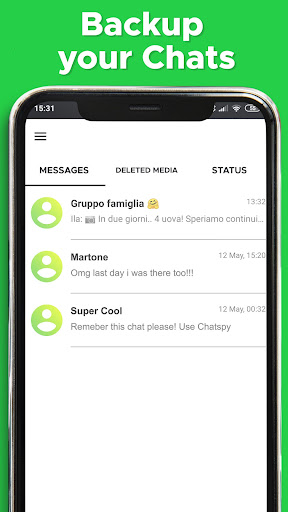
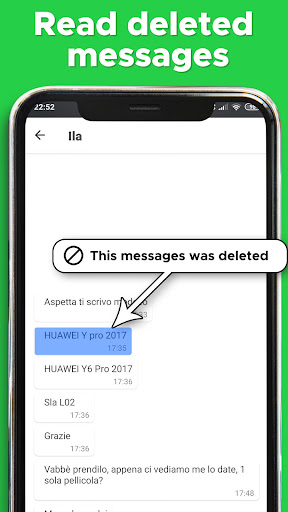
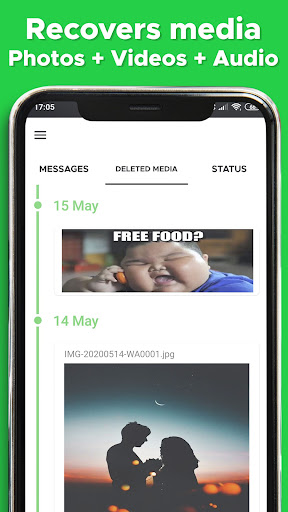
ChatSave is a free tool that allow you to recover deleted chat text messages (Whatsapp, Messenger ecc..) and also any media attachment,download status, read messages without blue marks.
✔Recover, Restore, Read:→Read deleted messages (This message was deleted)→Save notifications, notification saver (Autosave notifications)→text messages or deleted text messages.→media files downloader (download videos, pictures, voice notes, audio, animated gifs and stickers).
✔Download status:→Status saver.→Share and repost status.→Download Photos, Download Videos, Download Stories.
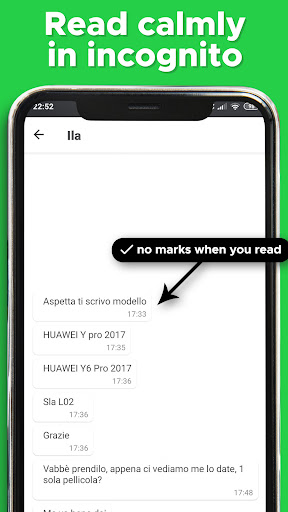
✔Unseen Reader(invisibly and incognito):→You can now read your friends’ messages incognito, without leaving any seen notices or blue check marks.→ No need to worry about Last Seen and Blue Ticks, you will unseen.→ If you want to find a message and you are not sure from whom and on which app you received the messages, then search it in Chatsave almost instantly.→ Find the deals and offers from shopping apps incase if you missed them.→ You are always on incognito mode while reading your friends messages.Storage:→ Chatsave can store messages and notifications from any messaging application installed on your mobile.
You can even choose the app from which you need to store the messages.How it works?1) Install Chatsave2) Allow Chatsave to save notifications (messages,videos,pics)3) receive notifications from any app (messages,videos,pics)4) Chatsave will save all the notifications forever in your phone (messages, pics, videos)Supported Chat Apps:Messenger, WhatsApp, Instagram, Viber, Telegram, Kakao, Talk, Line, Imo, VK--------------------IMPORTANTChatsave requires Notification Access authorization in order to work properly.Chatsave does not collect or store users personal data.
https://andro.io/app/restoremessages
 Power 100
Android app profile
Recover delete messages ChatSv for Android – Latest Version & Features
by ChatSave
★★★★★
(0 ratings)
Rate this app
How do you feel about Recover delete messages ChatSv?
Thanks for your feedback!
> 2.2k
Monthly Downloads
~$900
Estimated Cost
Screenshots









