
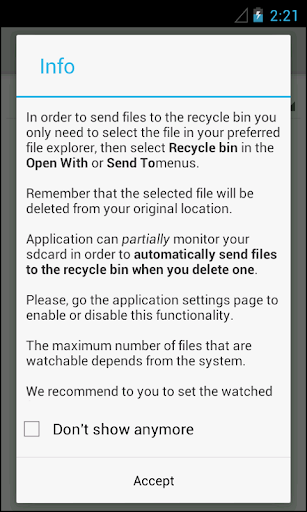
This app implements a Recycle Bin (also know as Trash) for Android and works with most third party file explorers, but cant help us to recover files deleted previously to app installation and configuration.In order to send files to the Recycle Bin, select the file you wish to delete in your preferred file explorer, then select "Recycle Bin" in the "Open With", "Share it" or "Send To" menus.
When you send a file to the Recycle Bin (via "Send To", "Share it" or "Open With"), it is automatically moved to the recycle bin app folder.You can configure a list of folders and file types that are automatically watched in order to send to the recycle bin if you delete one accidentally.If you need to permanently remove the file, you need to enter the Recycle Bin app and select "Permanently Delete The File".If you need to restore the file, enter the Recycle Bin, then select restore.
It is so easy!If your file explorer supports it, you can send folders or multiple files to the Recycle Bin in a single selection.Please, to have automation of the backups generation do not forget to enter app settings to configure what directories do you want to automatically monitorize!In App Billing allows users to: Remove ADS Backup/restore app settings
https://andro.io/app/recyclebin-z919
 Power 100


Android app profile
Recycle Bin for Android – Latest Version & Features
by RYO Software
★★★★★
(0 ratings)
Rate this app
How do you feel about Recycle Bin?
Thanks for your feedback!
> 2.2k
Monthly Downloads
~$900
Estimated Cost
Screenshots









