
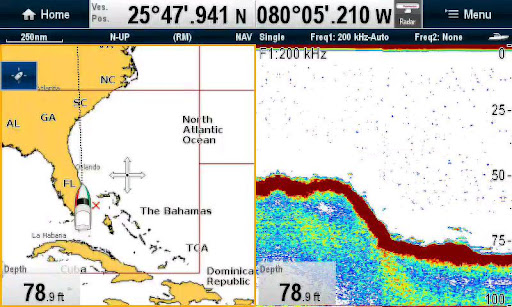
About Raymarine RayViewRayView allows you to view your Raymarine WiFi enabled Multi-Functional Display via your smartphone or tablet.
Android/Kindle Fire = Best performance achieved with 1GHz processor or better and running Android 2.2.2 or later.Multi-Functional Display software requirement – v 3.15 or later.Compatible displays (MFDs) – all Axiom as well as third generation c-Series, e-Series, g-S, ES and Wi-Fi enabled a-Series modelsTo use this app please upgrade your Raymarine c-Series or e-Series Multi-Functional Display to software version 3.15 or later.
Software upgrades are available for free at www.raymarine.com/support.
If you enjoy RayView you may also be interested in the RayControl and RayRemote apps.
RayControl for tablets provides full touch screen control of your Raymarine WiFi enabled MFD, plus a handy slide out virtual MFD keypad gives you even more control options.
RayRemote for smart phones provides a full screen virtual MFD keypad, transforming your phone into a full function Raymarine MFD remote control.Getting StartedDownload the RayView app, and install it on your device.
Then connect to your Multi-Functional Display via Wi-Fi (see operators manual for Wi-Fi setup details).
When the Wi-Fi connection is established, launch the app.
You should now see the same image on your device as on your Multi-Functional Display.
https://andro.io/app/rayviewer
 Power 100


Android app profile
RayView for Android – Latest Version & Features
by Raymarine
★★★★★
(0 ratings)
Rate this app
How do you feel about RayView?
Thanks for your feedback!
> 2.2k
Monthly Downloads
~$900
Estimated Cost
Screenshots









