
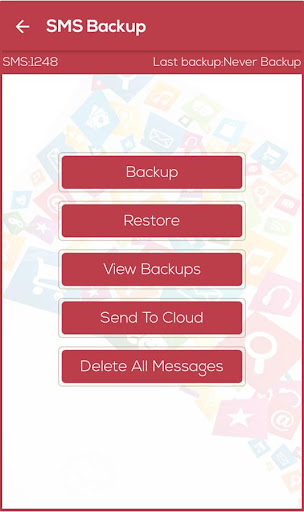
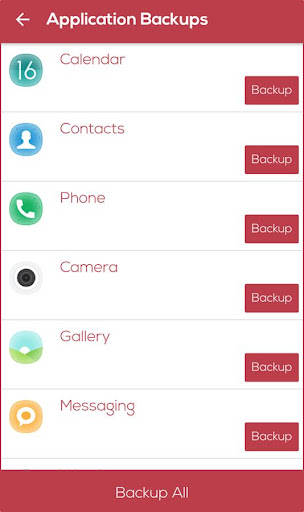
RAPID BACKUPRapid Backup & Restore app is a Simple Android app to Backup your APPS, SMS, CONTACTS,BOOKMARKS, CALL LOGS.Never loose your valuable data…Take Backup and Free Your Important Space.
If Any Time Backup Data Required, Simply Restore it.
Features :• Backup And Restore All Data Without Lose.• Store Backup in SD Card, Gmail and Any Cloud Store.• Show Backup Information.• Simple Step to Backup and Restore.• Free up space on your phone.
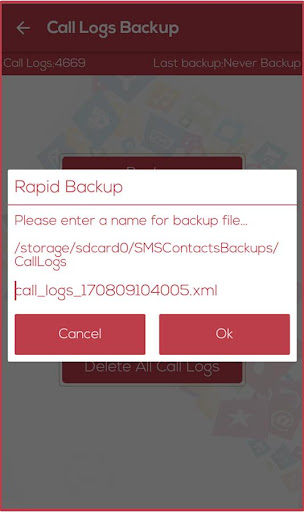
Delete all SMS Messages or call logs on the Phone• Email all backup files.• Number of Sms, Calls logs, contacts are displayed on top.• You can choose Language – English, French, Arabic, Spanish, Japanese, Korean.
Monthly updates.Backup Format:● Application in .apk File● SMS, Bookmark, Call log in .xml File● Contact in .vcf FileNote:* Bookmarks Backup has disabled by OS Since Android 6.0* Before Factory Reset your device, please backup all data to SD card & Cloud.* All backup files are stored in SD card named “SMSContactBackups” folder.Permissions :Photos, Media and Files – To Transfer and share your media files.Contacts – To Backup and restore Contacts.SMS – To Backup and restore your Messages.Calls – To Backup and restore Calls Logs.Please share this app with your facebook friends...Thank You…
https://andro.io/app/rapidbackuprestore
 Power 100

Android app profile
Rapid Backup & Restore - SMS, for Android – Latest Version & Features
★★★★★
(0 ratings)
Rate this app
How do you feel about Rapid Backup & Restore - SMS,?
Thanks for your feedback!
> 2.2k
Monthly Downloads
~$900
Estimated Cost
Screenshots









