
Glossary of the Meanings of the Words of the Noble Qur’an The dictionary of meanings of the words of the Qur’an, a complete copy of the dictionary of meanings of the words of the Qur’an on the almaany.com site, for those who want to get quick results without the need to contact the network (the World Wide Web).
You will probably need to return to the site where updates and additions are there more.
This dictionary is based on analyzing the Qur’anic word and extracting the word stem and root after stripping it of prefixes and suffixes.
For example, the word “watering” is broken down into P + water + na + km + and + e, so the trunk is "watered" and the root is watering.
We present here the meaning of "watered" and "watered", as well as their meanings in English for non-Arabs who study the Qur’an.
We also list all words with the same root.
We provide the interpretation of the verse from the interpretation of the facilitator and the interpretation of the Jalalain.
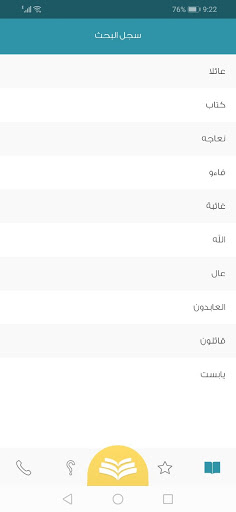
We do not supply more than this, because the program is aimed at learners and those who want to know the simple meaning without detail.First: To start searching, follow these stepsYou have two options for using the dictionaryA- The first option1- Select the surah, then the verse number, and then click on the word you want to know its meaning and analyze it2- The program immediately takes you to the analysis page, and from there you can return to the first page.B- The second option1- Putting the cursor in the search box2- Enter the word letter by letter3- During the entry, a list of the expected words will appear.4- Choose one of these words, and verses that contain this word or similar ones will appear with the same root5- Click on any word you want, and you will be taken to the analysis page, as previously mentioned.Second: general instructions1- You can return to the application by clicking to the back button on your device or closing the browser.2- You can delete a word from the search box at any time by clicking on the Clear button in the search box and entering another word.3- All the words you searched for will be stored in the search history page from the main menu.4- You can save the word in your favorites by clicking on the star next to the search word.5- You can delete any word from your favorites by moving it to the right and then click on the trash box6- You can delete any word from the record by moving it to the right and then click on the trash box
https://andro.io/app/quran-1df93
 Power 100


Android app profile
معاني كلمات القرآن الكريم for Android – Latest Version & Features
★★★★★
(0 ratings)
Rate this app
How do you feel about معاني كلمات القرآن الكريم?
Thanks for your feedback!
> 2.2k
Monthly Downloads
~$900
Estimated Cost
Screenshots









