
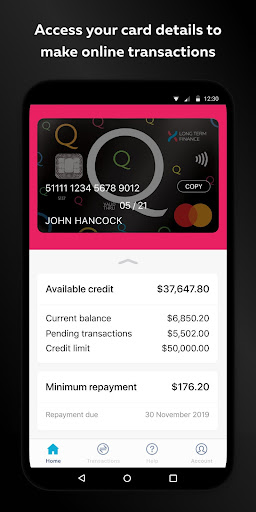
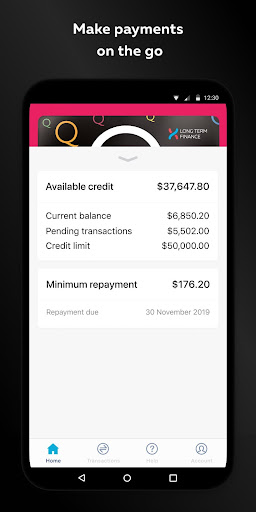
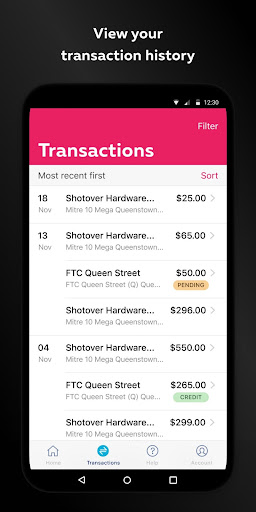
The Q Mastercard Mobile App makes it easy for you to keep track of your Q Mastercard on the go with the push of a button.With the Q Mastercard Mobile App you can:• View your account balance and available credit, as well as keep a track of any payments that are due.• View your last 3 months of transactions.• Connect with Q Mastercard via phone and email.We’ll keep your personal details safe:• Q Mastercard Mobile App is guarded by high-grade encryption and we ensure none of your personal details are stored on your device.
• Your online registration and each session is authenticated against secure backend information.• The Q Mastercard Mobile App will automatically lock if you repeatedly try and log in with the wrong password and will time-out if the app is left running for too long with no activity.
Logging in to use the Q Mastercard Mobile App:• To log in, use your Customer ID (on the back of your card) and your Q Mastercard Web Self-Service password.Terms and Conditions / Things you should know:1.
This service is only available for Q Mastercard customers.2.
The Q Mastercard Mobile App will only operate on Android 4.1 and above.3.
It’s free to use the Q Mastercard Mobile App but an Internet connection is required and normal data charges will apply.4.
Downloading of this app is subject to the Q Mastercard terms and conditions: http://www.qmastercard.co.nz/wp-content/uploads/cardholder_terms_and_conditions.pdfMastercard and the Mastercard Brand Mark are registered trademarks of Mastercard International Incorporated.
https://andro.io/app/qmastercard
 Power 100
Android app profile
Q Mastercard for Android – Latest Version & Features
★★★★★
(0 ratings)
Rate this app
How do you feel about Q Mastercard?
Thanks for your feedback!
> 2.2k
Monthly Downloads
~$900
Estimated Cost
Screenshots









